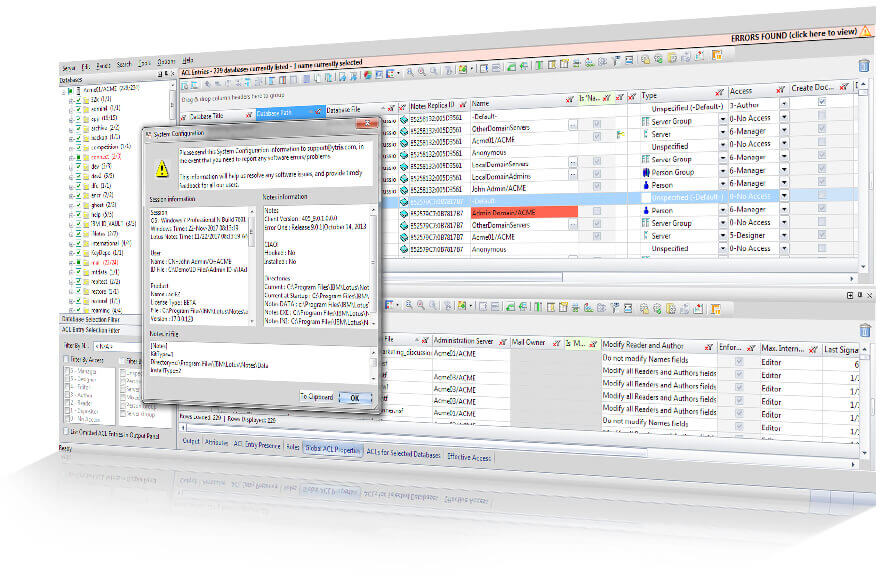

Ensure your HCL Notes access and security situation is in order
Handle your entire ACL and group data structure in a better way. See the entire picture and manage on a large-scale.

Manage all aspects of ACLs and groups
across entire HCL Domino servers at once
aclEZ is a robust tool that lets you oversee and manage all aspects of ACLs, groups, roles, across entire servers at a time—all from one central interface.
Work with the full picture of your HCL Notes environment’s security situation clearly in view for unmatched access audits and easy permission setting.
Complete HCL Domino ACL management, over entire servers at once
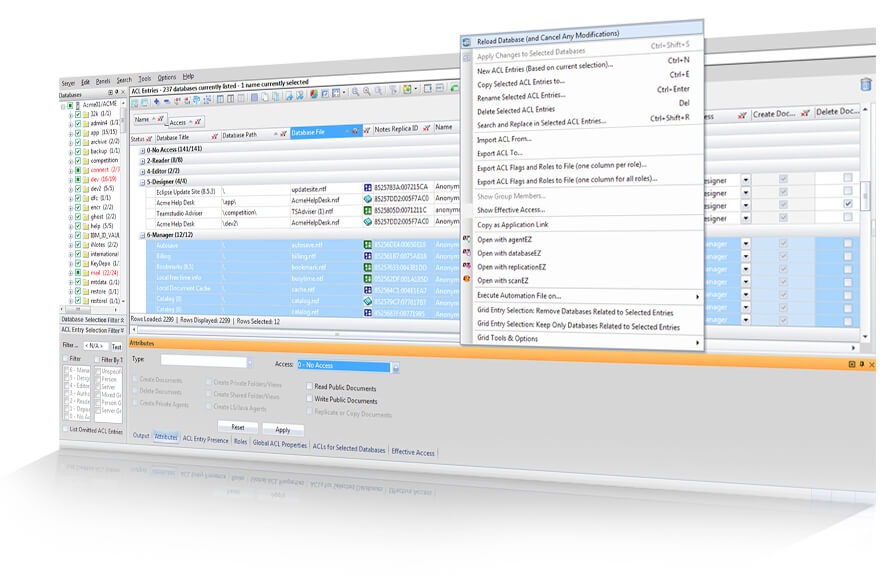
Traditionally, managing this aspect of security has required lots of digging through and analyzing each database’s ACL entries. But there is a better and more thorough way to deal with ACLs—a power-up for the modern HCL Domino administrator when it comes to the process of ACL management.
- Create new ACL entries for as many databases as you want, on any given server, simultaneously.
- Copy any selection of ACL entries—sourced from as many databases as you want—to as many databases as you choose.
- Modify ACL entry properties such as Access Level, Type, and more—across multiple databases at once.
- Remove ACL entries from as many databases as you want in just one easy step.
- Rename multiple ACLs, or even perform a search and replace in ACL names across multiple databases—all in only a couple of clicks.
Fix Default Web Access through Anonymous ACL Entries.


Create and deploy an entirely new administration group across all databases.

Remove old, decommissioned servers from ACLs.

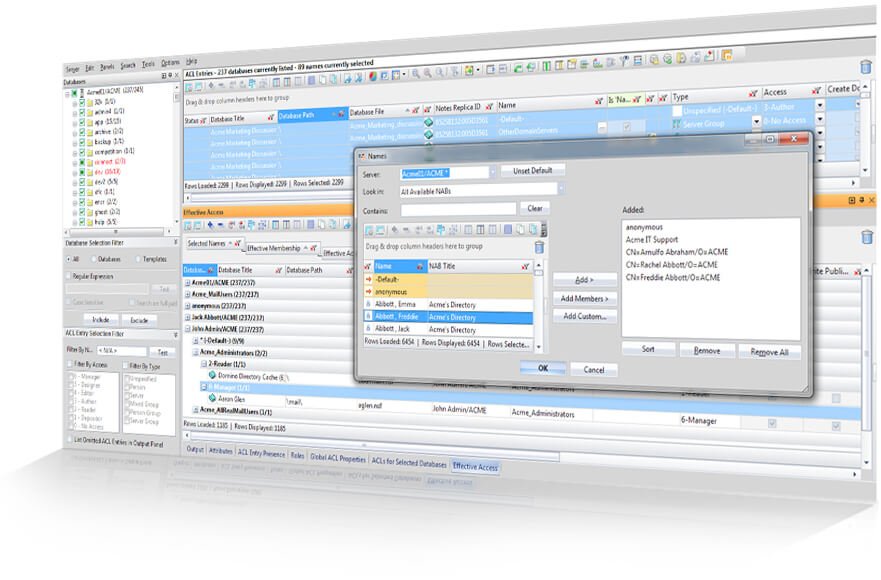
- See and compare an entire server’s worth of ACLs all at once – all in one central interface.
Compare ACLs across all mailbox and database instances to locate inconsistencies. - Locate and analyze any given ACL entry by their name, type, access level, and more.
- Drill down to detailed ACL information quickly—sort, group, and filter your ACL entries by any combination of attributes.
- Weed out invalid entries instantly through an automatic background check that compares all ACL entries with Person, Group, and Server documents in the NAB(s) of your choice.
- Identify all ACL entries belonging to Mail Owners and/or Administration Servers, and analyze their access levels.
- Craft robust security reports in only a couple of clicks. Copy/paste your data or export to HTML, Excel, XML, or .csv.
Get a global snapshot of access rights.

See the Default access level for all databases on a server.

Find and understand outdated ACL entries in all the databases on your server.

- See database-level property details (such as Maximum Internet name and password, and administration server) for multiple databases simultaneously, all through one dedicated interface.
- See and modify the state of properties like ‘Enforce ACL across all replicas’ for any number of databases on a server in only a couple clicks.
- Access the ACL logs for multiple databases at once—in one interface—in one click.
- Display Mail Owner information for all mailboxes on a server, and identify mailboxes whose owners are no longer with the company.
- Create detailed reports at any time through pre-formatted file exports, or by copying and pasting your data directly from the grid.
Uncover databases with incorrect administration servers.

Ensure global ACL consistency.

Identify orphan mailboxes.

Capture a snapshot of all ACL histories.

- Find and assess where any given role is used across an entire server.
- Identify all the roles assigned to a specific user.
- Create, edit, or delete roles for any number of databases and users simultaneously.
- Enable/disable roles en-masse on as many databases and users as you choose
- Report your role structure easily in just a few clicks.
Ensure an administration group has all applicable roles assigned.

Deploying and assigning a new administration role across all business critical applications.

Find and understand outdated ACL entries in all the databases on your server.
Total control over HCL Notes groups, memberships, and Domino Directories
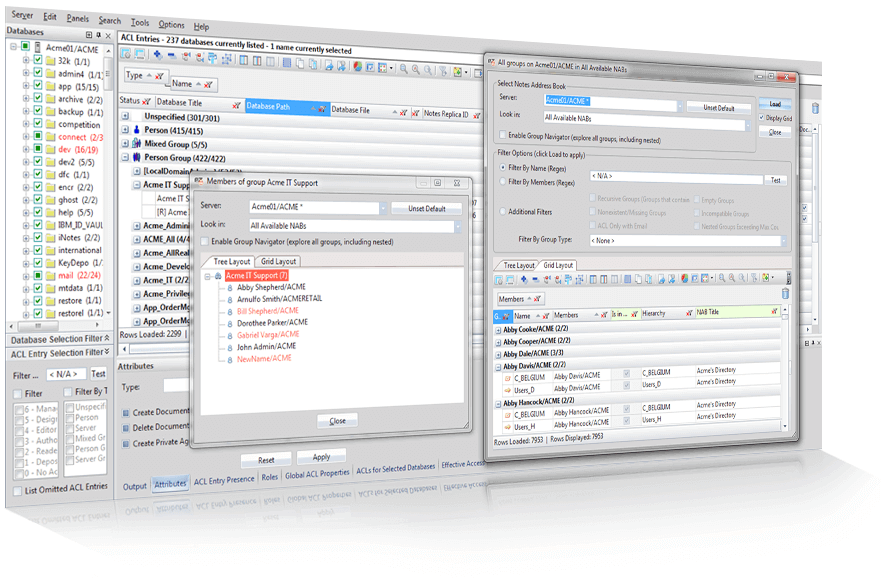
With aclEZ’s flexibility, power, and unmatched insight into your Domino Directories, groups, and their members, you’ll have everything you need to overhaul how you deal with these vital aspects.
- Get a full view and understanding of all groups and their members.
- See every subgroup and member, as well as their access level to the database concerned and their position in the hierarchy.
- Sort and filter your data based on any combination of attributes.
See ALL the applications a given user can access, and why.

Find out who has access to a given application, and what grants them access to it.

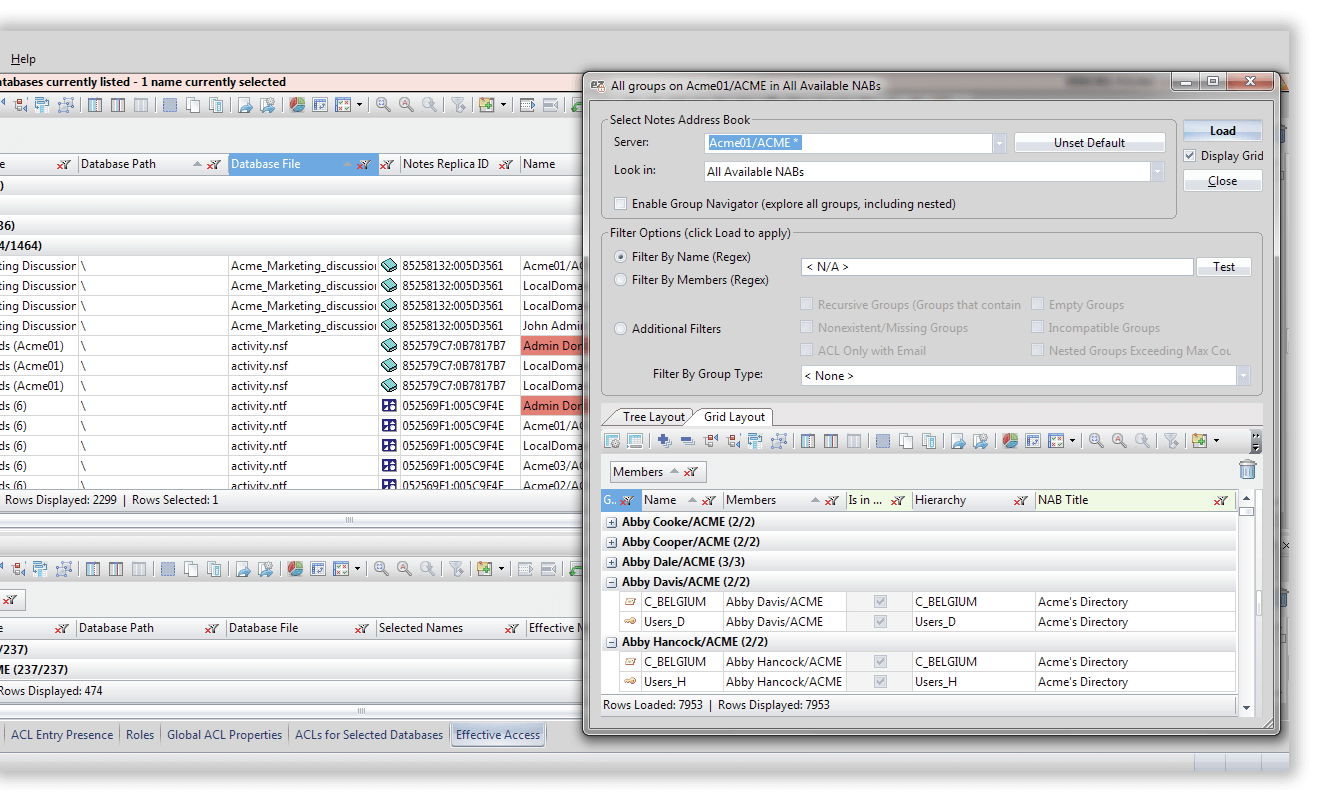
- Access all groups in all NABs on a server no matter what position in the hierarchy. Search multiple Domino Directories as one (if Directory Assistance is implemented).
- Understand the hierarchy of any NAB. Choose a tree-style map of your groups , or use a flexible grid-style layout to sort and filter NAB group data points. Any issues, such as members without a corresponding Person, Group, or Server-type document, will be automatically indicated.
- Isolate only the selected groups or members that you need through a variety of pre-filters.
- Create, copy, or remove sub-groups to and from one another. Add or remove members, or copy any number of people from and to any number of different groups, all in just a few clicks.
Discern the group memberships for a set of users.

Locate and remove invalid group members.

Uncover empty and recursive groups.

- Search the network of any NAB to detect users not part of any groups.
- Organize your results fast in a flexYview-enabled interface to sort, filter, and arrange your data.
- Need to take action? Open corresponding documents directly in your Notes client from within aclEZ.
Locate all users that are not members of any groups.

Special tools and complimentary features for better HCL Notes ACL management
Look beyond the traditional ways of exploring and modifying ACLs—the vital keys to your IBM Notes and Domino security.
- View the entire access situation—including all roles—for all selected users against databases for a full understanding of the prevailing access rights across entire servers.
- Understand your Effective Access calculations by sorting, filtering, and grouping your results in a powerful flexyView-enabled interface.
- Fix any inconsistent or undesirable aspects with a wide array of tools— everything you need is right at your fingertips.
- Create detailed access status reports in just a few clicks.
Perform server-wide Effective Access calculations.

- Automatically highlight ALL names not present in the Domino Directory including Group, Server, and Person entries, with the `Check Presence in NAB` feature.
- Instantly clean up old/invalid ACL entries—it only takes one click to remove them, even if they are located across thousands of databases.
- Reveal group members missing from the NAB across ALL groups in a given Domino Directory. Get a true one-click cleanup for your groups.
- Discover unused, orphan mailboxes through automatically highlighted obsolete mail owner entries.
- Create detailed exclusion lists to manage false positives, and indicate cross-certified user permissions. Consider mail-in databases and alternate email address names.
Identify and analyze old, irrelevant ACL entries across an entire server.

Locate and remove irrelevant group memberships across multiple NABs.

- View an entire server’s contents (including all subfolders) in the loading tree, instantly. Color-coded status indicators let you quickly spot databases that are incompletely loaded.
- Find any ACL entries with a certain substring in their name and rename them on a mass scale.
- Set pre-loading filters for ACL entries based on access level, ACL entry type, or name; focus loading on databases, templates, or both; use regular expressions to specify selection criteria.
- Save and recall unlimited preset filter configurations—save time and gain accuracy without having to search from scratch each time.
Perform fast, targeted loading selections with aclEZ’s pre-filters.

Beyond the tools: reporting, integration, and automation
Report your results fast through easy exports, pull work in from other EZ suite tools, and expand your processes through powerful automation functions.
Learn about scanEZ’s essential extras: from quick reporting, to integration with your environment, to Ytria’s adaptive API.
Export data quickly and directly from any scanEZ grid. Create reports in HTML, Excel, XML, and CSV, or simply copy/paste your data from the grid.
Leverage built-in bridges between scanEZ and other EZ Suite products, as well as your native Designer client.
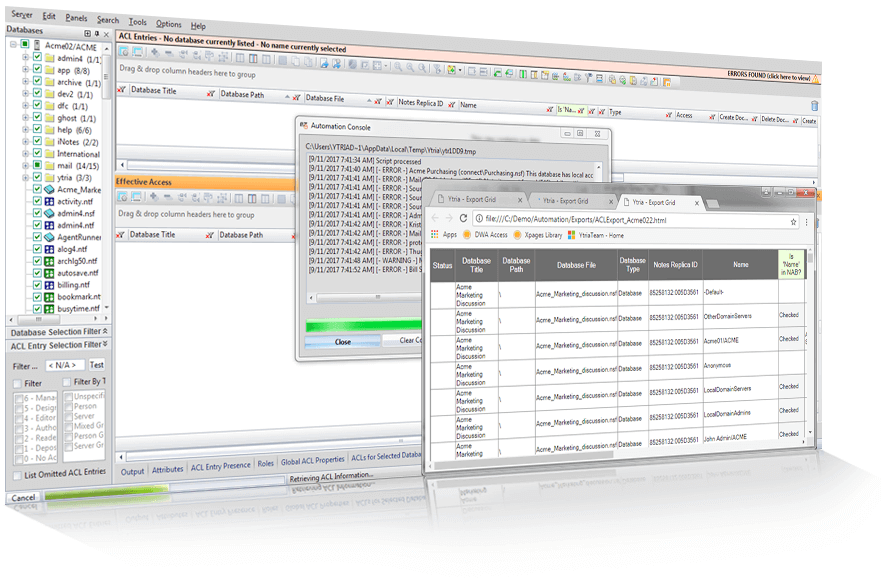
Extend scanEZ’s scope through your own scripts that let you repeat functions across an even larger scale. You can even use the command line integration to create push-button, multi-step process launchers.
Automate multi-server detection and reporting of invalid ACL entries.
Load a server and export all ACL information.
How does aclEZ work?
Installed on the client side only, aclEZ is completely independent from your Notes client. Because of this, aclEZ offers you speed and power, and independence that just isn’t possible with any native solution.
aclEZ is a standalone compiled application coded in an efficient, low-level language. When installed, its executable file (aclEZ.exe) is detached into your Notes Program Directory.
Each time you start aclEZ, a new Notes session is created, independent from your Notes client session. This means that aclEZ runs parallel to your Notes client and thus will not interfere in any way.
In fact, you can think of aclEZ as a special “Notes client” to consolidate your ACL and group management for faster, easier operation. You can even select which ID you want to work with—without having to switch IDs in your Notes client!
aclEZ is installed on the client side ONLY, as are all of Ytria’s EZ Suite solutions. There is no need to install anything on the server, and being a local install means no system downtime.
That’s a good question! When working with ACLs, security IS a crucial subject. Although aclEZ offers you a multitude of features that surpass the functionality available in both the Administrator client and the ACL dialog box, our tools NEVER bypass Notes security. Certain key options, such as choosing which ID file you’d like to use for your aclEZ session or enabling Full Access Administration, require you to have the proper access rights in order to use them.
With aclEZ, you can modify hundreds of databases, ACL entries, or groups within merely a few clicks. With such power available, how can you know that you’re making the right changes?
Don’t worry, we’ve got you covered! Your modifications are protected by a two-step saving process which allows you to review your changes before deploying them—regardless of the modification you’ve performed.
The fact that aclEZ is an independent, compiled program, puts it in the position to outperform built-in Notes and Domino solutions. But beyond that, aclEZ can handle tens (or even hundreds) of thousands of ACL entries, group memberships, etc., giving you a much better overview of your global access situation. Loading all of this information can take a bit of time. Don’t worry though, we’ve built a bunch of pre-loading filter options into aclEZ so you can pinpoint the information that you absolutely need to load.
aclEZ operates through the official Notes API channels; any changes that you perform are logged in the ACL history. However, we offer much more extensive history and log options than the native solutions. You have the option to create a special Modification Log database in which every single operation performed using our EZ Suite tools will be logged. You can place this database on either your local machine, or one of your servers. You can even use our licensing system to route logging for all EZ Suite users into a central log database.