
One tool for every Microsoft 365 admin task.
No PowerShell. No portal-hopping. No scripts to maintain.
sapio365 is a no-code desktop toolkit for Microsoft 365 administration: a unified interface that gives busy administrators full visibility and control over their tenants, without writing a single line of code.
Unlike native Microsoft 365 administration, which requires navigating multiple portals and scripting even the simplest bulk operations, sapio365 delivers a single-pane-of-glass experience for no-code administration, deep data visibility, safe bulk actions, and advanced reporting.
Your data never leaves your environment.
sapio365 runs as a native desktop application on your machine. It communicates directly with Microsoft 365 using your credentials. No third-party cloud, no hosting, no proxies, no back doors.
No one at Ytria, or anywhere else, ever has access to your tenant data.


No cloud intermediary.
No data stored outside your Microsoft 365 tenant.
GCC High, DoD, and 21Vianet compatible.
Designed for zero-trust environments: no third-party services to allowlist, no inbound connections. Traffic flows only between your machine and Microsoft.
Where’s our SOC 2? Certifications like SOC 2 attest to how a vendor protects the customer data it holds. sapio365 is architected so we hold none.
Features
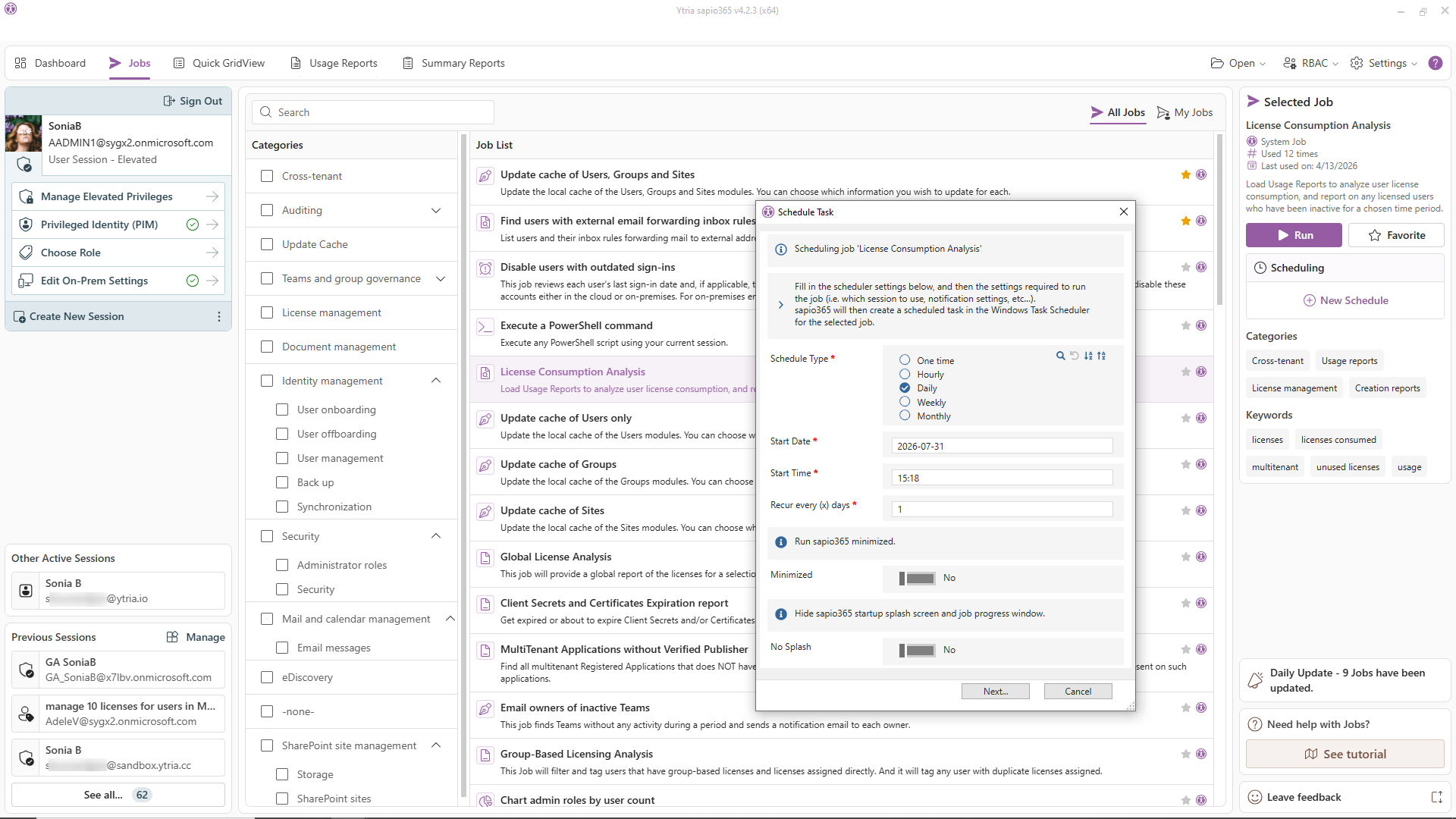
Everything in sapio365 is built around GridViews: a flexible, high-performance grid that is the core of how the product works, and what makes every other feature below possible without writing code. Its side-by-side comparator holds a registered US patent.
- Surface 300+ properties across users, groups, licenses, mailboxes, documents, and more
- Sort, filter, group, and categorize by any combination of properties simultaneously
- Create and save custom views for specific tasks, teams, or recurring reports
- Share custom views with colleagues: everyone works from the same filtered picture
- Navigate from any row directly into a deeper view of that entity and take action
- FreezePoint any view: save a GridView exactly as it stands, unsaved modifications included, and come back to it later or hand it to a colleague for review
- Export any view to CSV or Excel at any time
This is what replaces PowerShell. Any report a script would build, GridViews builds in seconds, interactively, without code.
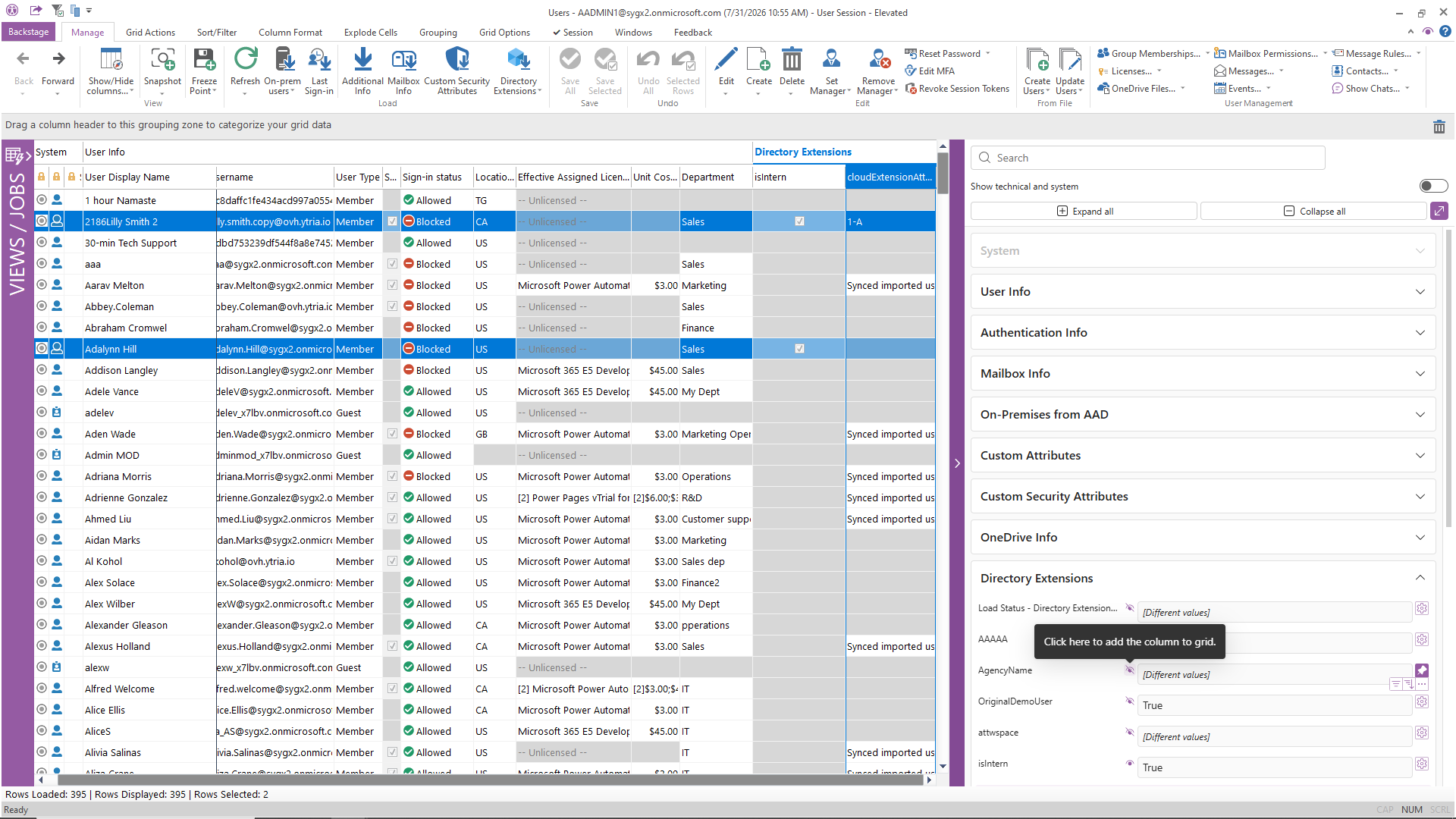
Make changes at scale to hundreds or thousands of objects at once, without fear of making a damaging mistake.
- Select any subset of users, groups, licenses, or other objects using the grid’s filters
- Preview exactly what will change before committing: see the before and after
- Apply updates, assignments, or deletions in one operation
- Catch scope errors before they happen — the preview shows exactly what will change, before anything does
- Supported across all major object types: users, groups, licenses, mailboxes, SharePoint sites, devices, app registrations
Most Microsoft admin portals support updating one object at a time. Bulk changes require PowerShell — with all the risk that entails.
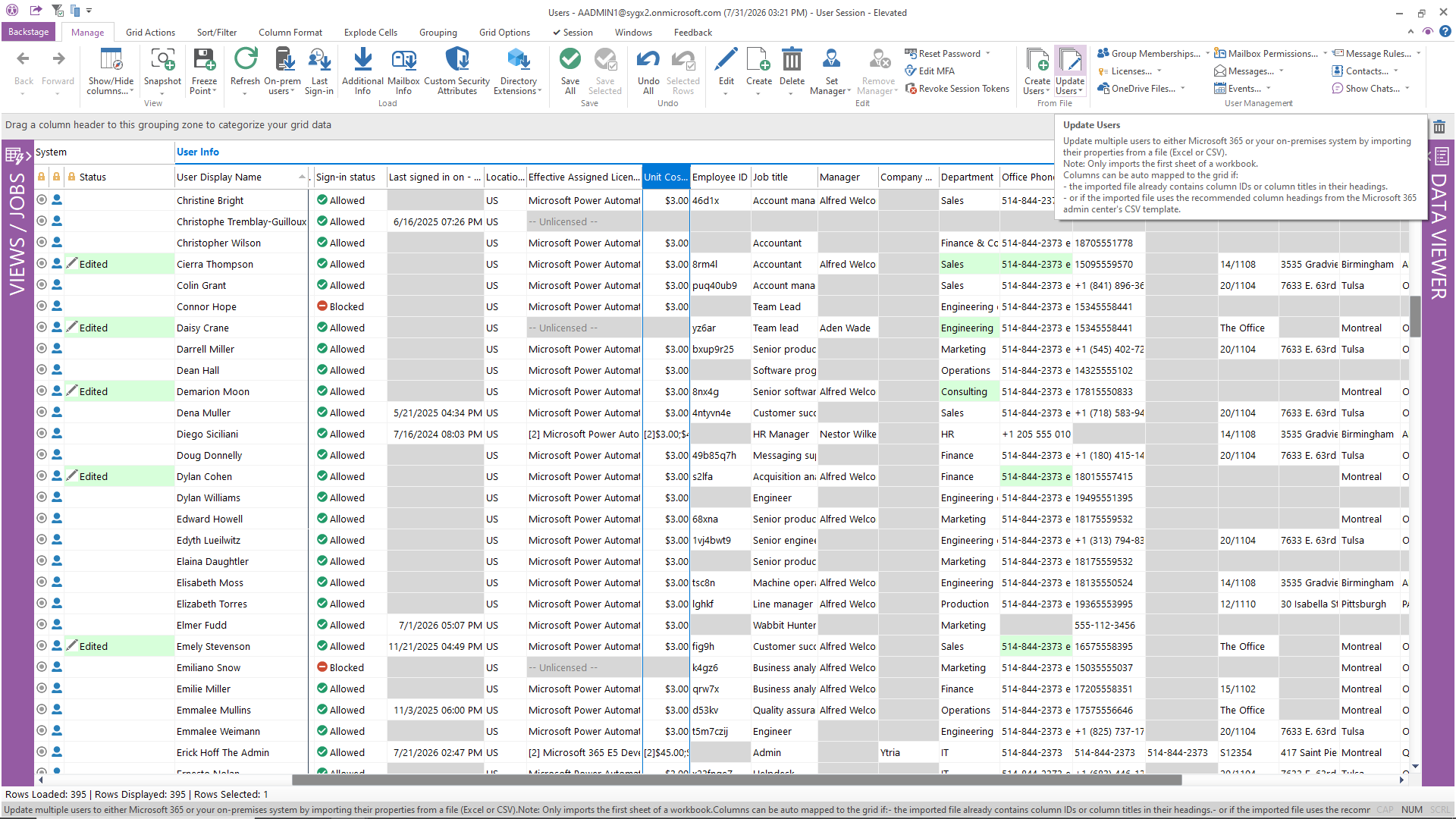
Build the exact report you need, without exporting data to Excel and stitching it together manually.
- Combine properties from multiple data types into a single report (e.g., user + license + sign-in activity + mailbox size)
- Use filters, groupings, and sortings to slice data any way you need
- Enrich usage reports with user or group attributes (department, location, license type, etc.)
- Save reports as reusable views and share them with your team
- Export to CSV or Excel at any time
- Schedule reports to run automatically and deliver results on a recurring basis
Audits, compliance reports, and management dashboards that previously took hours of PowerShell + Excel work now take minutes. Answer questions no report was built for.
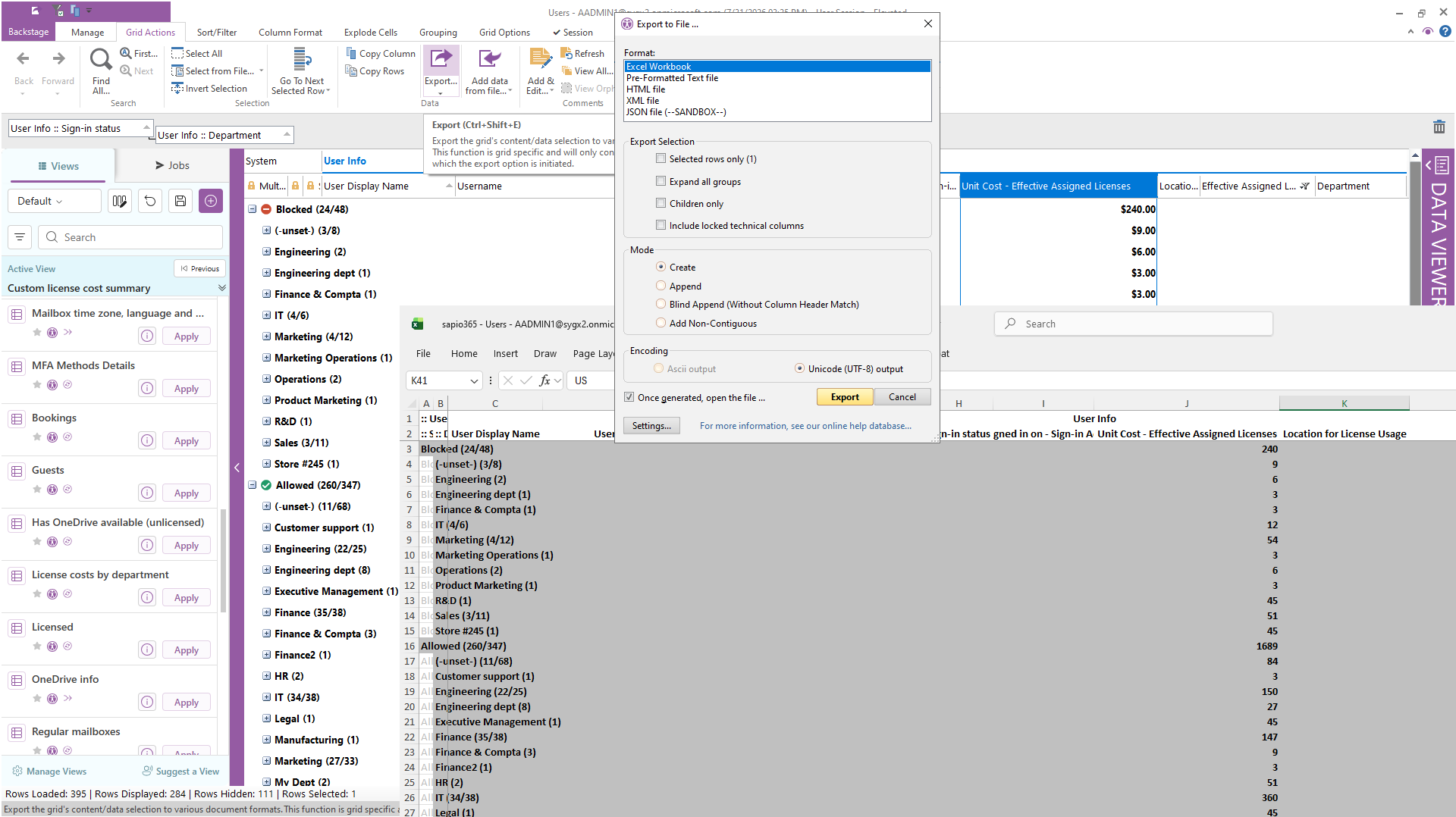
Automate the repetitive work that consumes admin time every day, without writing or maintaining scripts.
- Choose from 200+ ready-to-run reports and automation jobs covering the most common Microsoft 365 admin work
- Schedule any task or report to run daily, weekly, or on a custom schedule
- Build custom automations tailored to your organization’s workflows
- Automate onboarding and offboarding sequences end to end
- Eliminate the PowerShell scripts that “work until they don’t”. sapio365 automations are maintained and updated with the product
This is not just scheduling exports. It’s full workflow automation on a schedule, without scripts: license assignments, group memberships, mailbox configurations, and more.
What about when nobody’s at the desk? Scheduled jobs run from any always-on Windows machine or VM you control, which is still your environment, not a third party’s. Certificate-based unattended automation means no one has to be logged in.
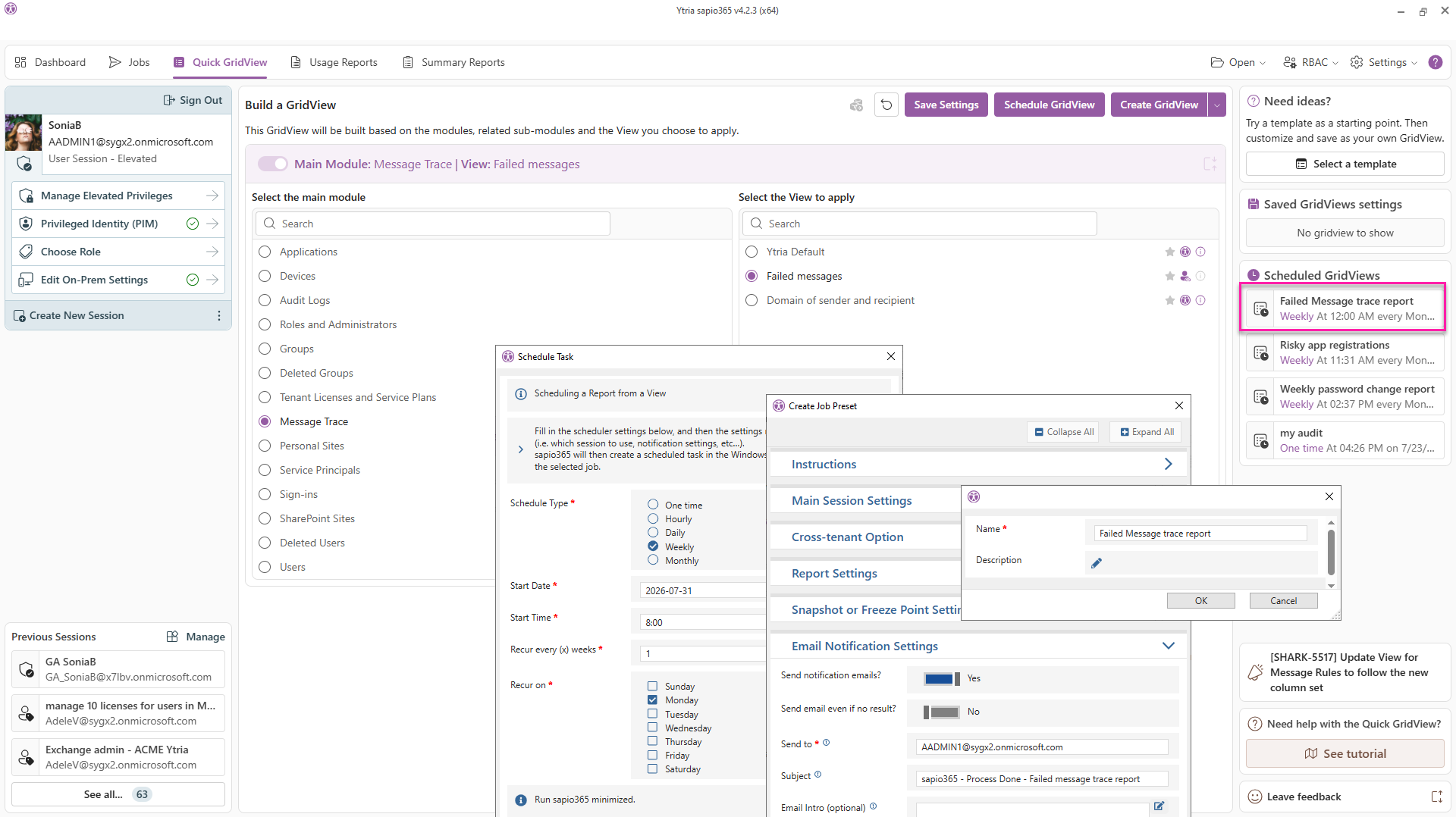
sapio365 is built for admin teams, not just individual admins. Comments on your data, not just your documents.
- Share custom GridViews with colleagues so everyone works from the same data picture
- Annotate any object in any grid with persistent comments every admin sees: flag the mailbox under investigation or the group scheduled for cleanup, right where the data lives
- FreezePoint a work-in-progress GridView, unsaved changes and all, and pass it to a colleague for review
- Share automated jobs and scheduled reports across the team
- Delegate tasks using custom roles to distribute workload efficiently
- Track everything centrally: user activity logs, the full comment history (who added what, and when), and RBAC role management in one place
Shared views, shared comments, shared jobs. No more duplicate work across the team.
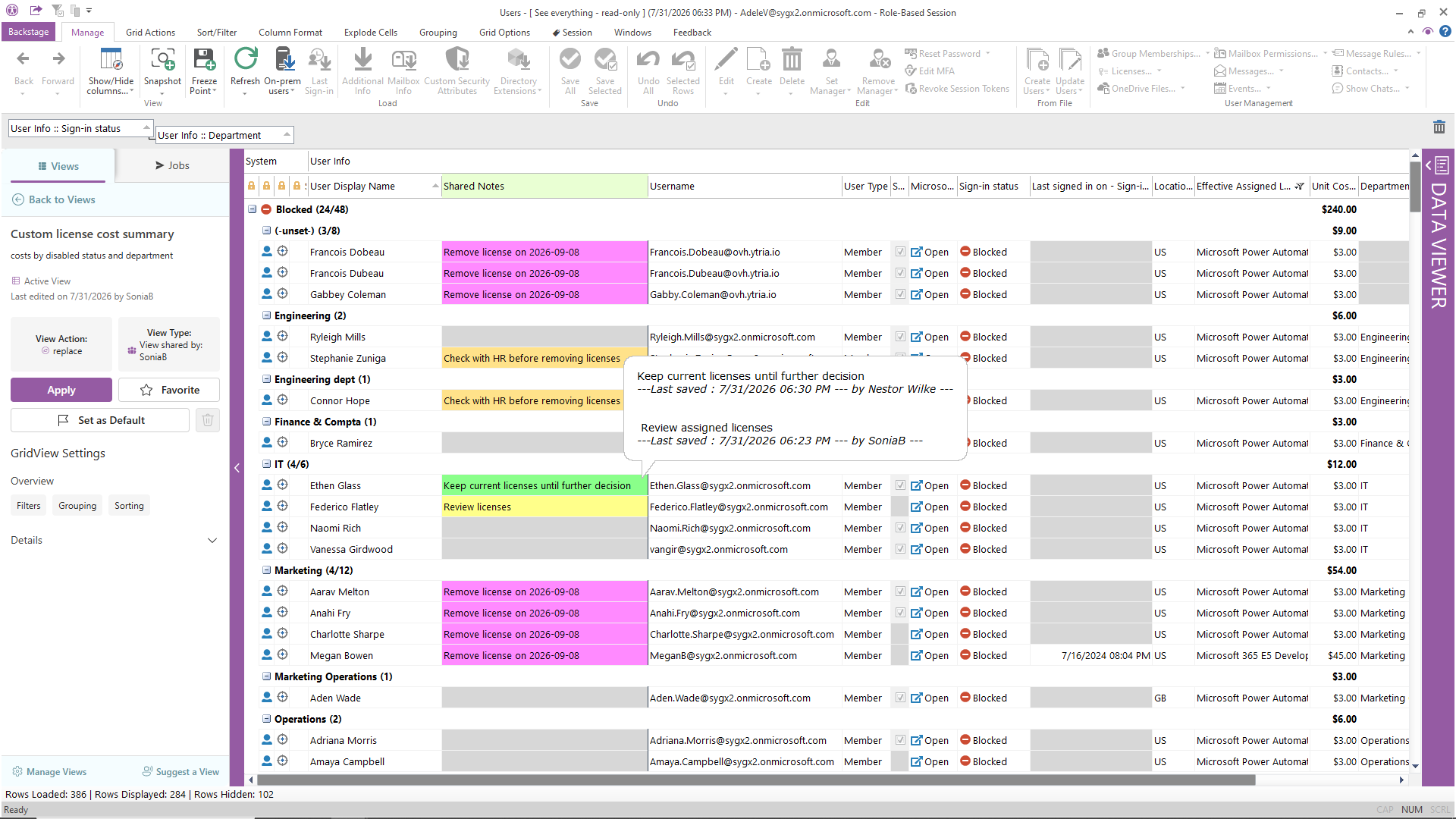
Let the right people do their jobs, without giving them more access than they need.
- Create custom roles with granular permissions, as narrow or as wide as the task requires
- Scope roles by department, region, object type, or any combination
- Delegate tasks to helpdesk, level-1 support, or non-IT staff without granting admin privileges
- Audit all activity performed under each delegated role
- Centralize role management: assign roles to individuals or groups from one place
Helpdesk handles password resets, group assignments, and license changes without ever touching the M365 admin center or a PowerShell console, and without the risk of accidental over-reach. Delegate tasks, not credentials.
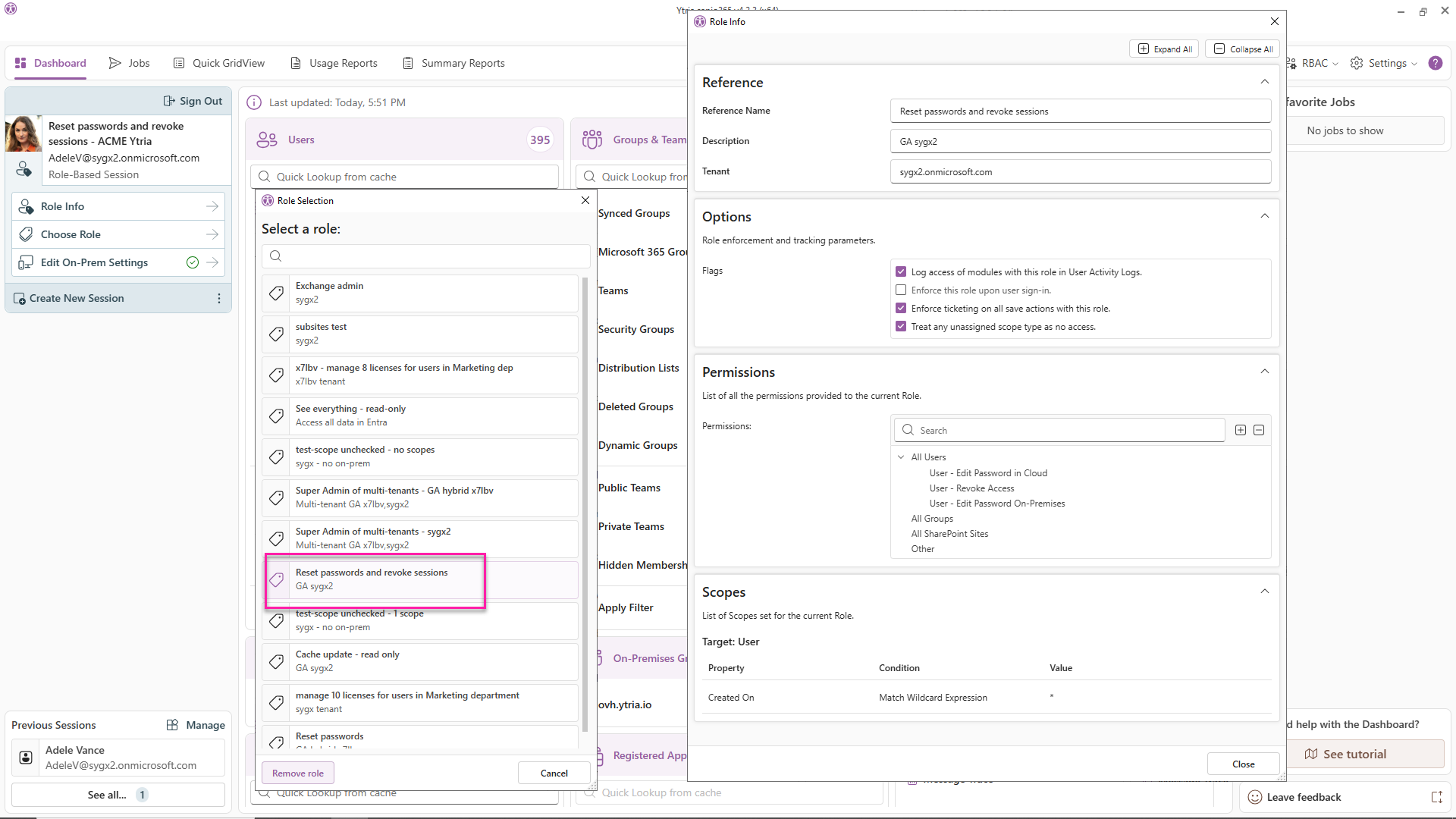
For organizations running hybrid environments, sapio365 eliminates the constant context-switching between Entra ID and on-premises Active Directory.
- Reconcile cloud (Entra ID) and on-prem AD user and group data in a single interface
- Make direct side-by-side comparisons to spot sync gaps, attribute mismatches, or orphaned accounts, powered by the GridViews comparator
- Update accounts in either environment without risking synchronization errors
- Identify and resolve hybrid sync issues before they cause disruptions
- Manage both cloud and on-prem group memberships from one view
Cloud-only admin tools do not provide native on-prem AD management. sapio365 bridges both environments natively.
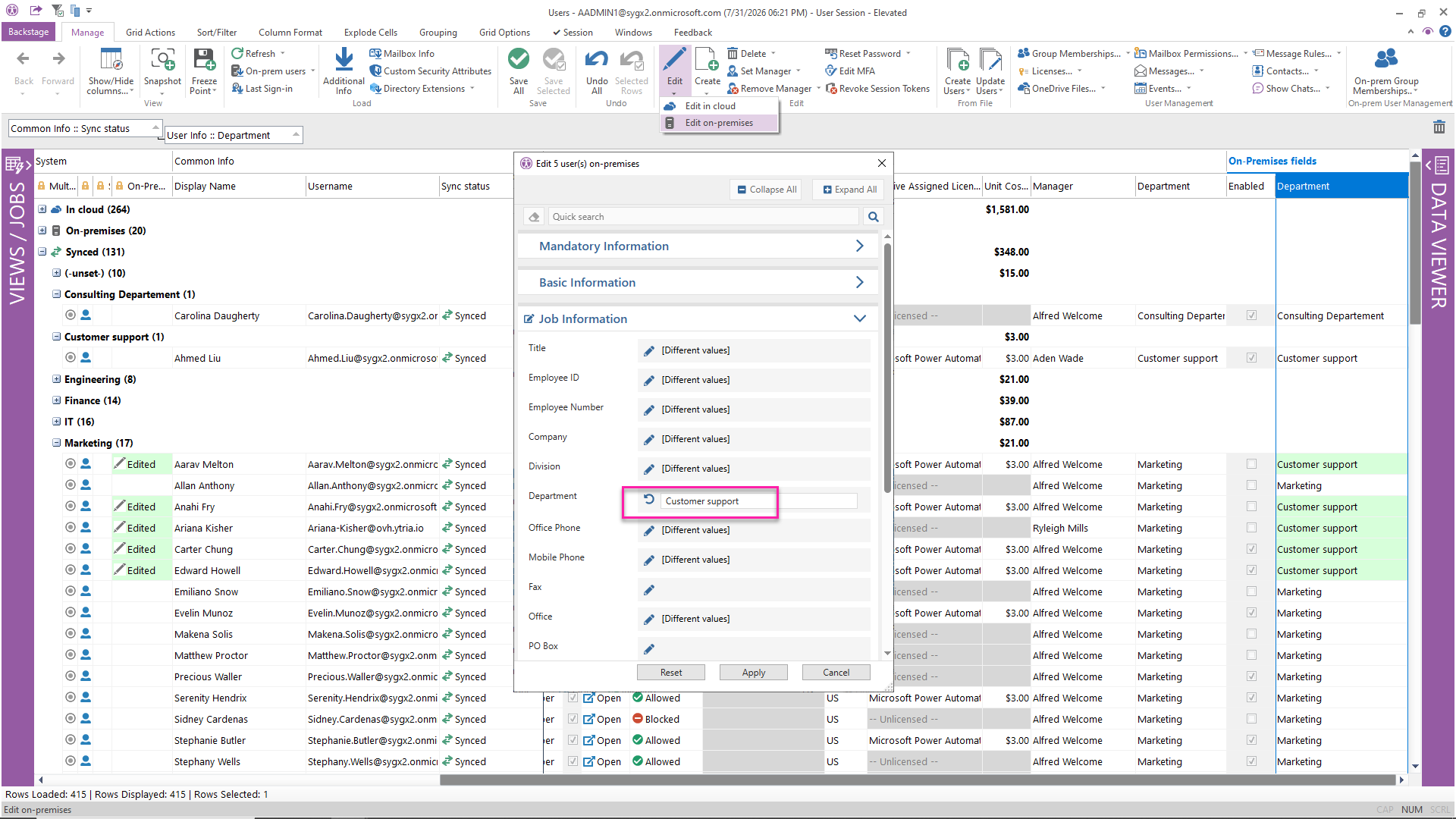
Manage all your tenants simultaneously from a single session, without re-authenticating.
- Switch between tenants instantly: no sign-out, no browser juggling
- Work in multiple tenants at the same time to spot discrepancies and inconsistencies
- Build cross-tenant reports to compare configurations, license usage, or compliance status
- Automate tasks that span all tenants in one scheduled job
- Ideal for MSPs, multi-national organizations, and post-acquisition environments
Every tenant. One window. One login. IT teams securely manage all clients or business units with a single account. In one customer’s words: “reducing time spent by 50%” (Gerben Goede, IT Services Director, Camelot ICT Group).
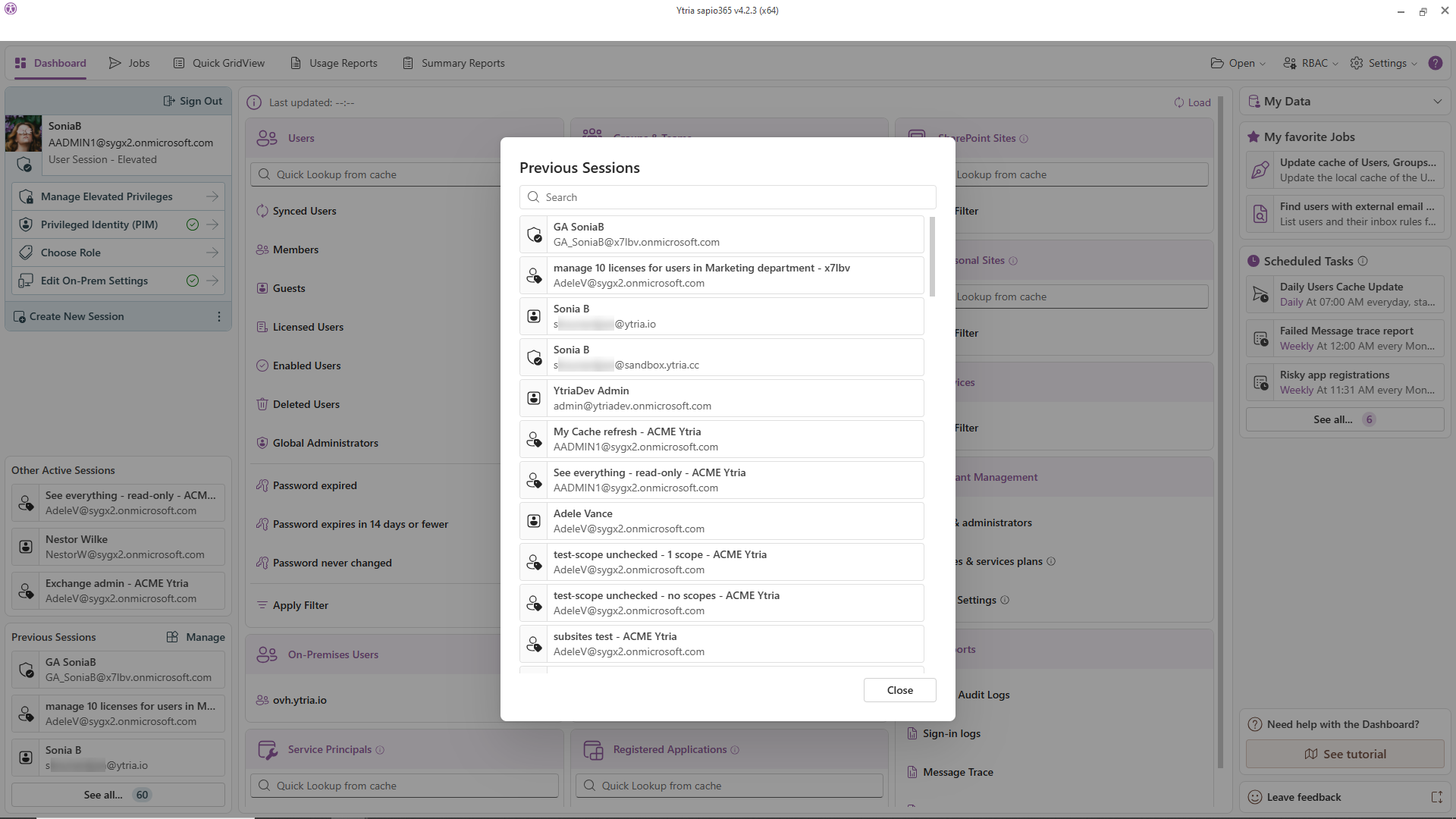
Don’t just see security gaps: fix them, directly from the same view.
- Block users from signing in, force password changes, and revoke active sessions instantly
- Find and destroy anonymous sharing links across SharePoint and OneDrive
- Locate and eradicate a malicious email across all mailboxes in one operation
- Audit guest access to group content, and what Copilot and other AI tools can reach, analyzed locally
- Review sign-in reports: who accessed what, from where, and when
- Track Entra admin changes with audit log reports, previous and new values side by side
- Review and correct mailbox permission over-exposure in bulk
Native M365 security tools show you the problem. sapio365 lets you act on it immediately, at scale, without PowerShell.
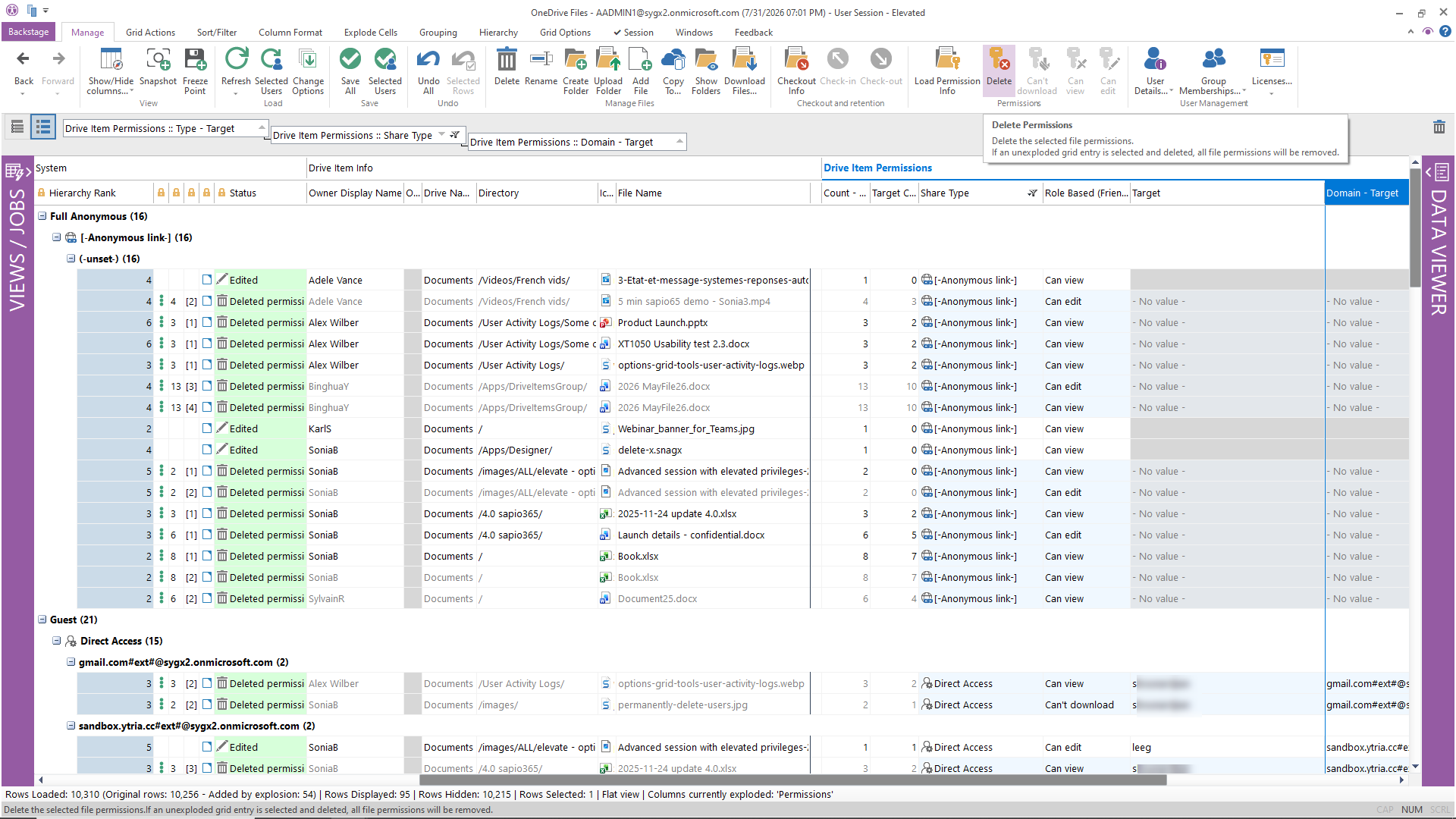
The two highest-volume, highest-risk user lifecycle events, handled end-to-end without manual steps.
- Automate the full onboarding sequence: account creation, license assignment, group memberships, mailbox configuration
- Automate offboarding: disable account, revoke sessions, remove licenses, transfer mailbox, archive OneDrive
- Import user data directly from CSV or Excel to bulk-provision accounts
- Apply consistent configurations every time, eliminating the variation that causes helpdesk tickets
- Delegate onboarding/offboarding to HR or level-1 support with scoped roles
Consistent, reliable, every time. No complex PowerShell scripts to write and maintain, no admin portals to hop between.
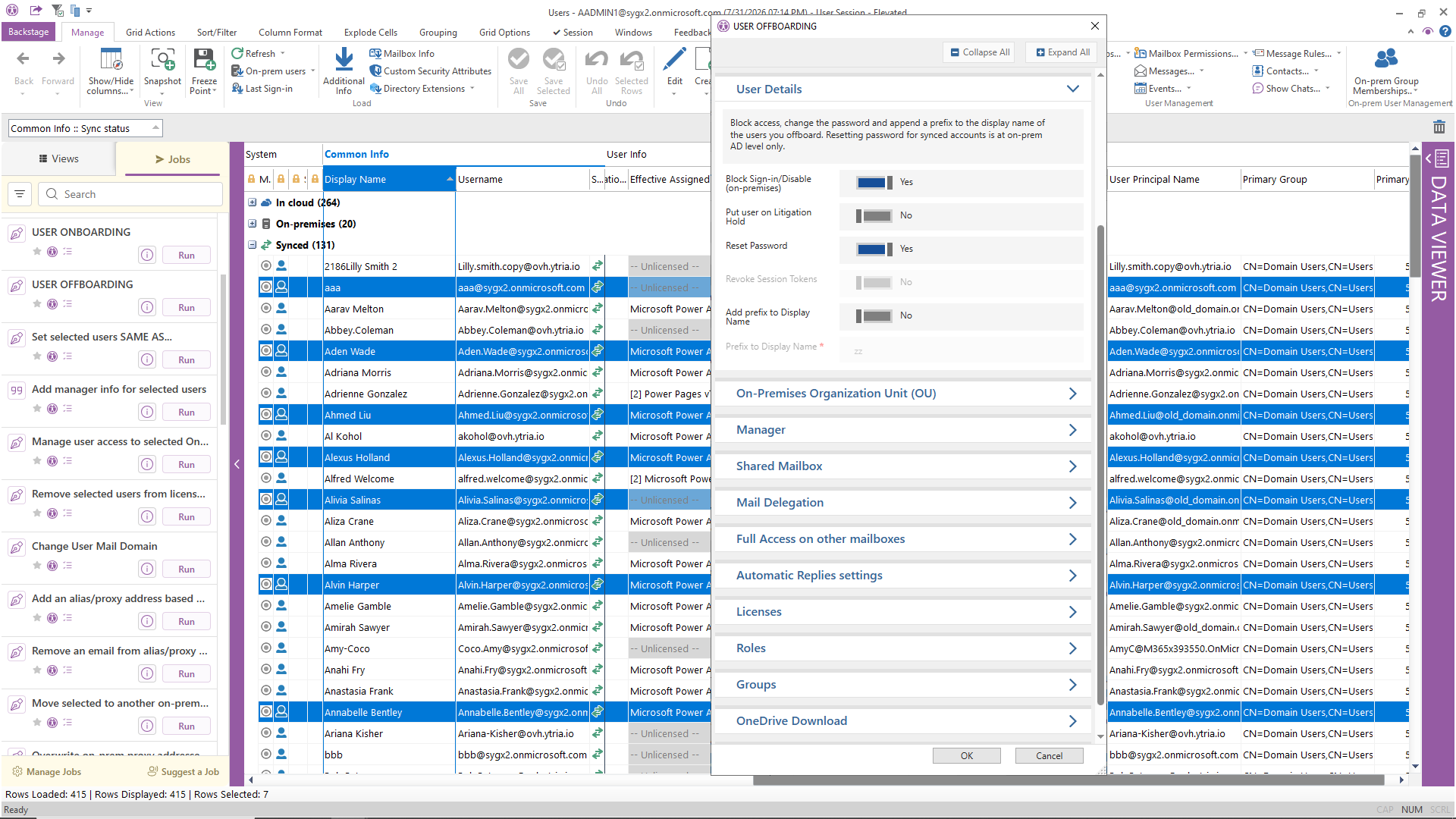

Transform the way you work
Stop writing code. Start clicking.
Transform the way you work
Stop writing code. Start clicking.
sapio365 vs. Native Microsoft 365 Administration
| Task | Native Microsoft 365 Admin tools | sapio365 |
|---|---|---|
| Bulk update 500 user attributes | Complex PowerShell script | Filter in grid → bulk edit → preview → apply |
| Cross-reference license + sign-in activity | Export 2 CSVs → VLOOKUP in Excel | Combined view in one grid, no export needed |
| Find all anonymous sharing links | PowerShell (Get-SPOSite loop) | Grid filter → select all → delete links |
| Onboard 20 new users consistently | Manual steps across 3–4 portals | Automated job from CSV in one click |
| Delegate group management to helpdesk | Full M365 Groups admin role (too broad) | Scoped sapio365 RBAC role: exactly the permissions needed |
| Compare cloud vs. on-prem AD user data | Two separate tools, manual comparison | Side-by-side in one view |
| Manage 3 tenants simultaneously | 3 browser sessions, 3 logins | One sapio365 session, simultaneous access to all tenants |
| Schedule a weekly license usage report | PowerShell + Task Scheduler + email script | Built-in scheduler, 2 minutes to configure |
Stop writing scripts. Start clicking.
Every task in the table above is waiting for you, out of the box, the day you install sapio365.
Free, instant, fully functional. Extensions are one ask away, and a product expert can join you on your own tenant if you’d like. No credit card. No cloud deployment. Your data never leaves your environment.
Related Articles

How to report on any Microsoft 365 user attribute without frustration
Microsoft 365 user attributes can be used to store a variety of labels and information about users but sometimes, an organization may choose to use a…

How to Run Microsoft 365 Reports on Groups in Minutes
Running reports on large Microsoft Office 365 groups can become an IT admin’s nightmare as too often, they require a lot of manual manipulation of…

How to Remove Multiple Members from Microsoft 365 Teams
Microsoft 365 Teams can get pretty crowded. Teams are created every day, members are added too…