
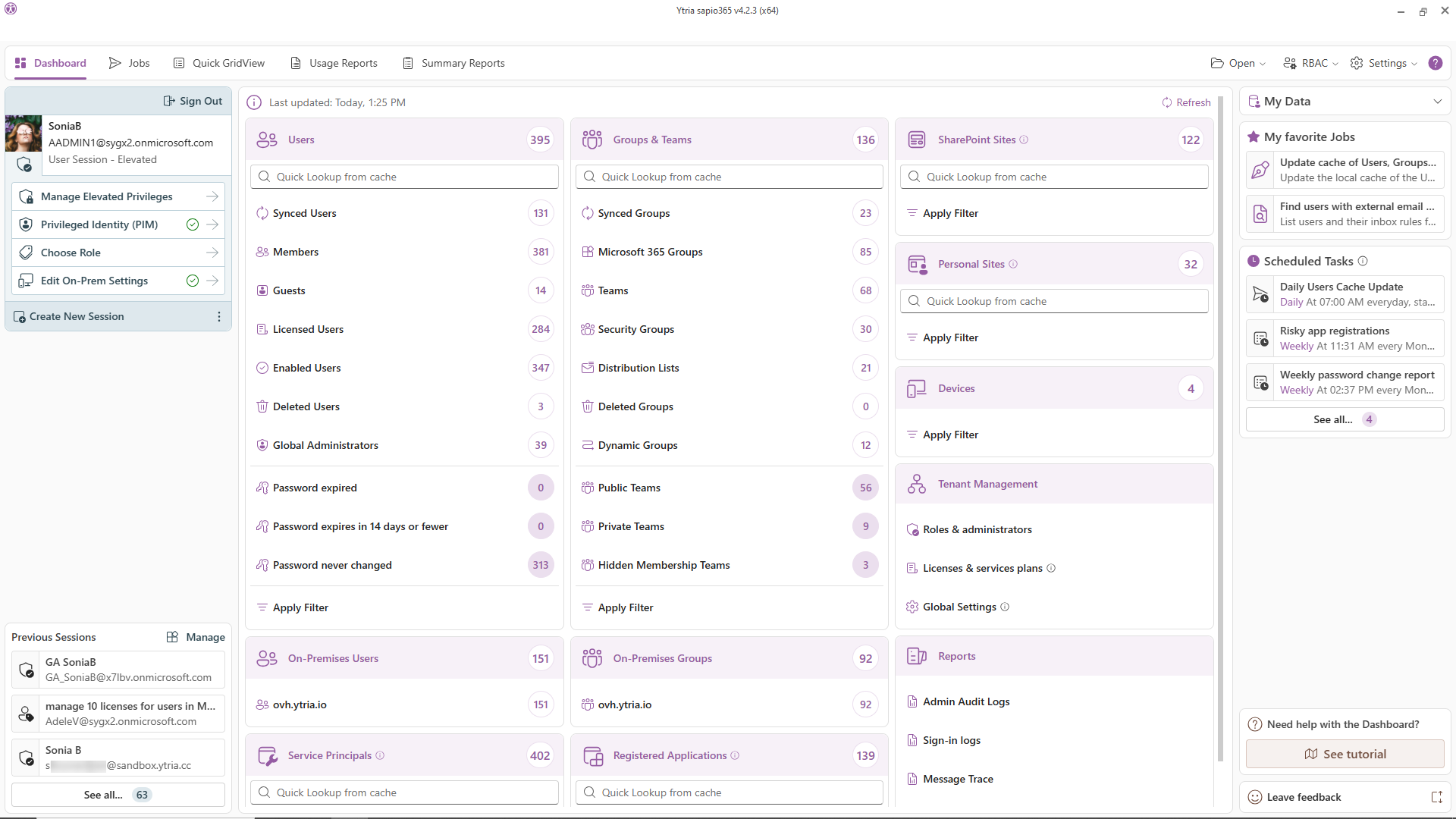
Every corner of your Microsoft 365 tenant, visible and manageable from one place.
sapio365 gives IT admins one desktop interface to explore, organize, and act on everything in their Microsoft 365 environment. Without PowerShell, without jumping between portals, and without your data ever leaving your environment.
It’s all about clicks, not code.
Built for teams that need control, and proof of it
Enterprise & hybrid IT teams
Cloud and on-premises AD in one native interface, multiple domains, side by side. Delegate safely with granular roles, activate PIM roles in-app, and answer any audit question in minutes instead of days.
MSPs
Every client tenant, one window, one login. Your techs get scoped roles, not your clients’ credentials. Cross-tenant reporting no one else can do. And you can tell compliance-heavy clients the truth they want to hear: their data never sits in anyone’s cloud. Including ours.
Regulated & government organizations
sapio365 works where SaaS management tools are disqualified by policy: GCC High, DoD, 21Vianet, and data-residency-constrained environments. Everything runs locally, in your environment, under your rules.
Hundreds of properties. One GridView.
GridViews, sapio365’s patented grid technology, puts the full depth of Entra ID and Active Directory data (300+ filterable, sortable, groupable properties) in a single interactive layout. Sort, filter, group, and categorize by any combination. Compare anything to anything, side by side.
One grid replaces a thousand canned reports.
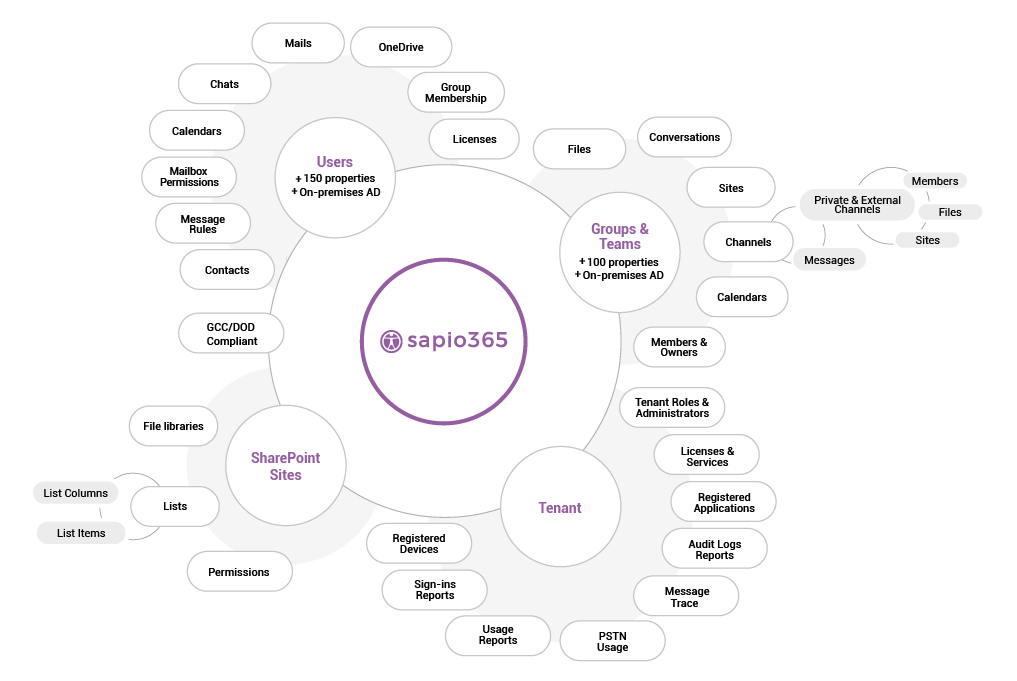
Explore the full depth of your tenant data
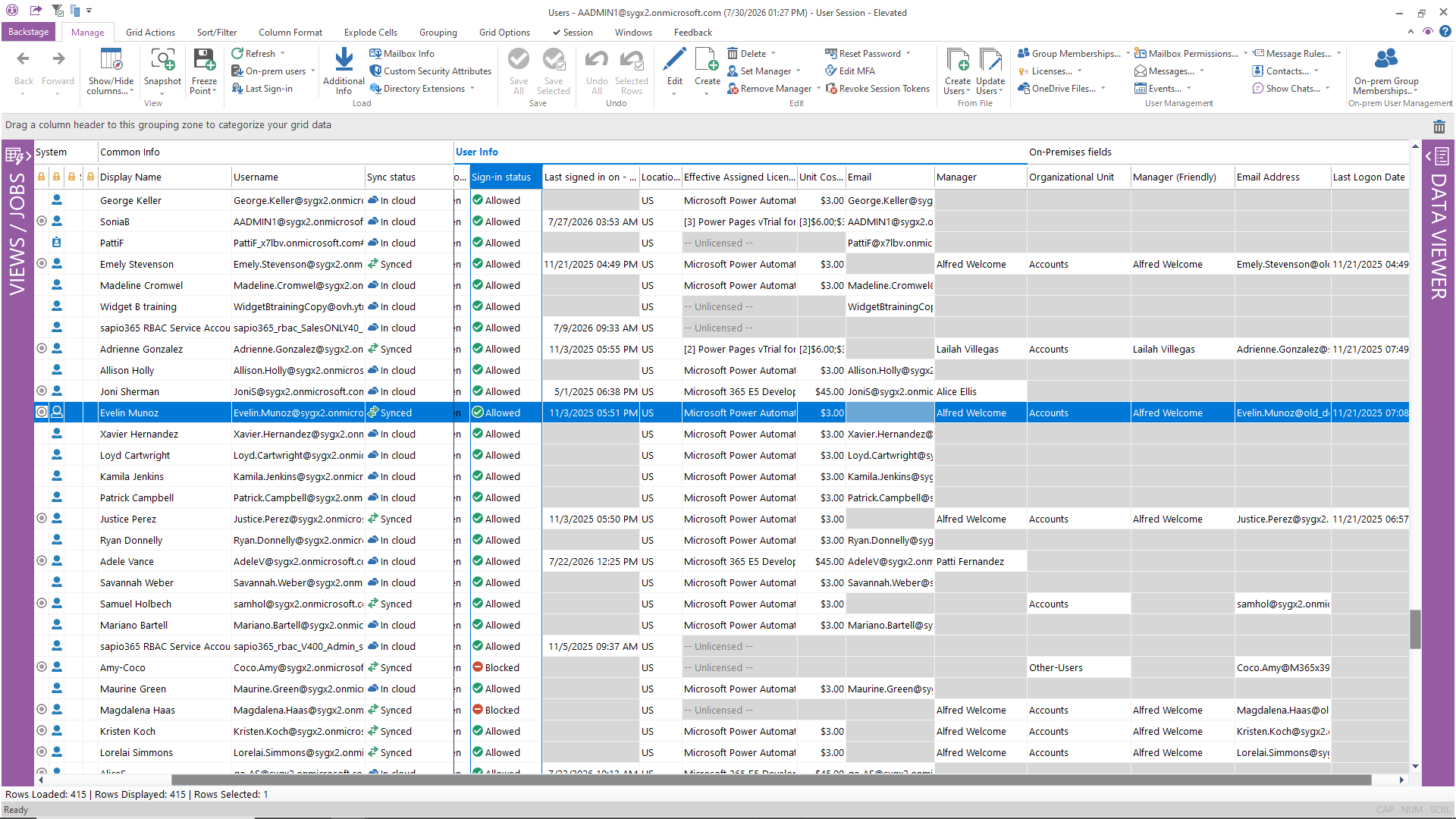
See every user across your tenants : cloud identities, on-premises Active Directory accounts, and hybrid-synced users, all in a single filterable view.
- View and compare cloud (Entra ID) and on-prem AD user properties side by side
- Track lifecycle states: active, disabled, guest, synced, cloud-only
- Update user properties individually or in bulk, directly from the grid or from a CSV/Excel file
- Manage password resets, sign-in status, and MFA enforcement
- Filter by any combination of properties to isolate exactly the users you need
What native tools require: Multiple admin portals (Entra, Exchange, Active Directory Users & Computers) plus PowerShell scripts to cross-reference. sapio365 does it in one view.
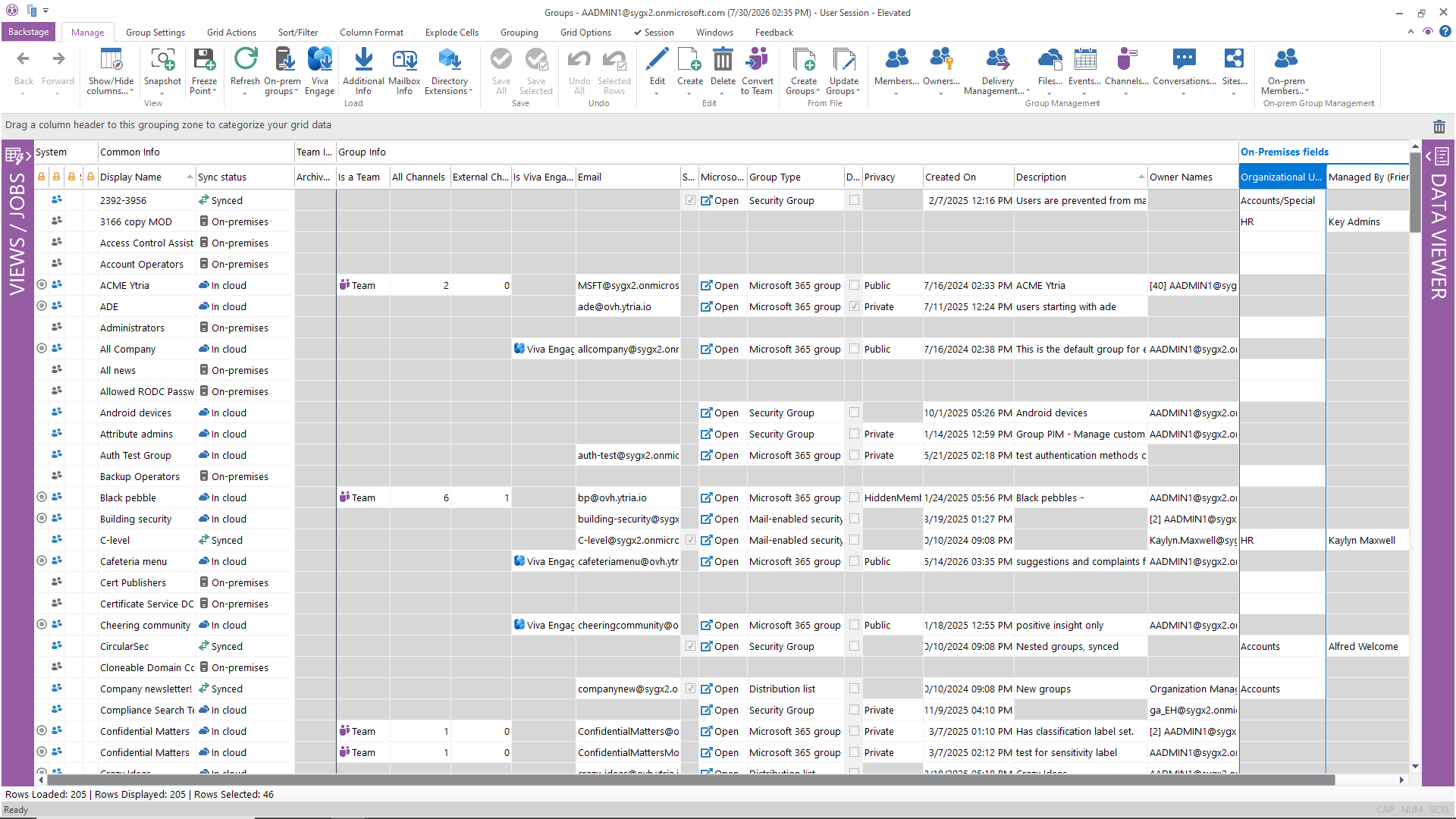
Take control of the group sprawl that every M365 environment accumulates over time.
- See all group types in one place: Microsoft 365 Groups, Security Groups, Distribution Lists, Teams
- View membership, ownership, and guest access across groups, including private and shared channels
- Identify inactive or obsolete groups and clean them up in minutes
- Mass-create, bulk-edit, or reassign group memberships in a single operation
- Compare and manage cloud and on-prem AD group data side by side (hybrid AD)
What native tools require: Azure portal for some groups, Exchange admin for distribution lists, Teams admin for channels … no single view exists natively.
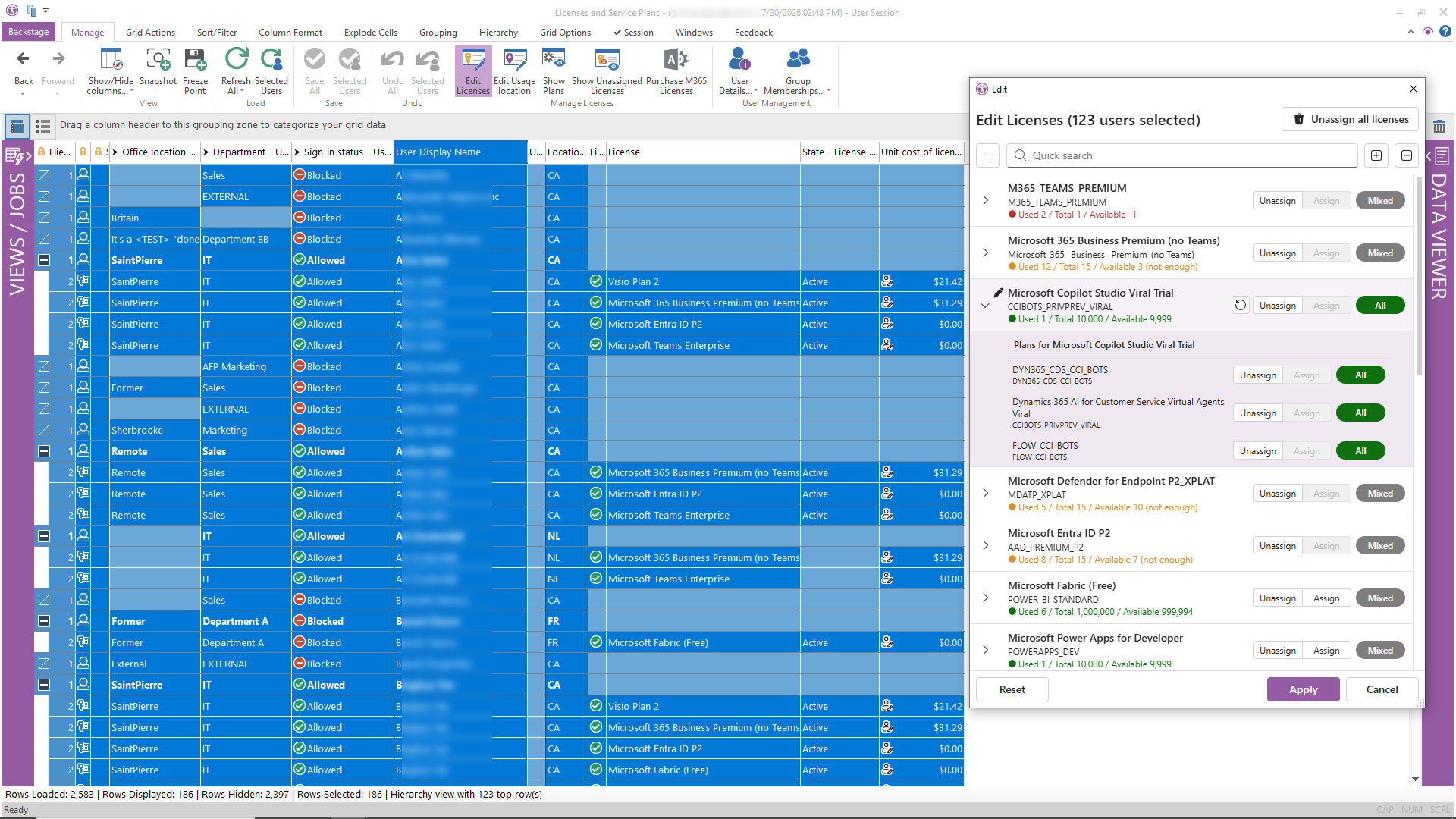
Stop guessing how your licenses are assigned and whether you’re overspending.
- See how each license is assigned, directly, through group inheritance, or both
- Identify under-utilized or inactive accounts still consuming licenses
- Set unit costs per license SKU and generate cost analysis reports
- Reassign or remove licenses in bulk with preview before execution
- Delegate license management with fine-grained RBAC: control who can assign what, and how many
What native tools require: The M365 admin center shows license counts, but lacks utilization analysis, cost modeling, or safe bulk reassignment.
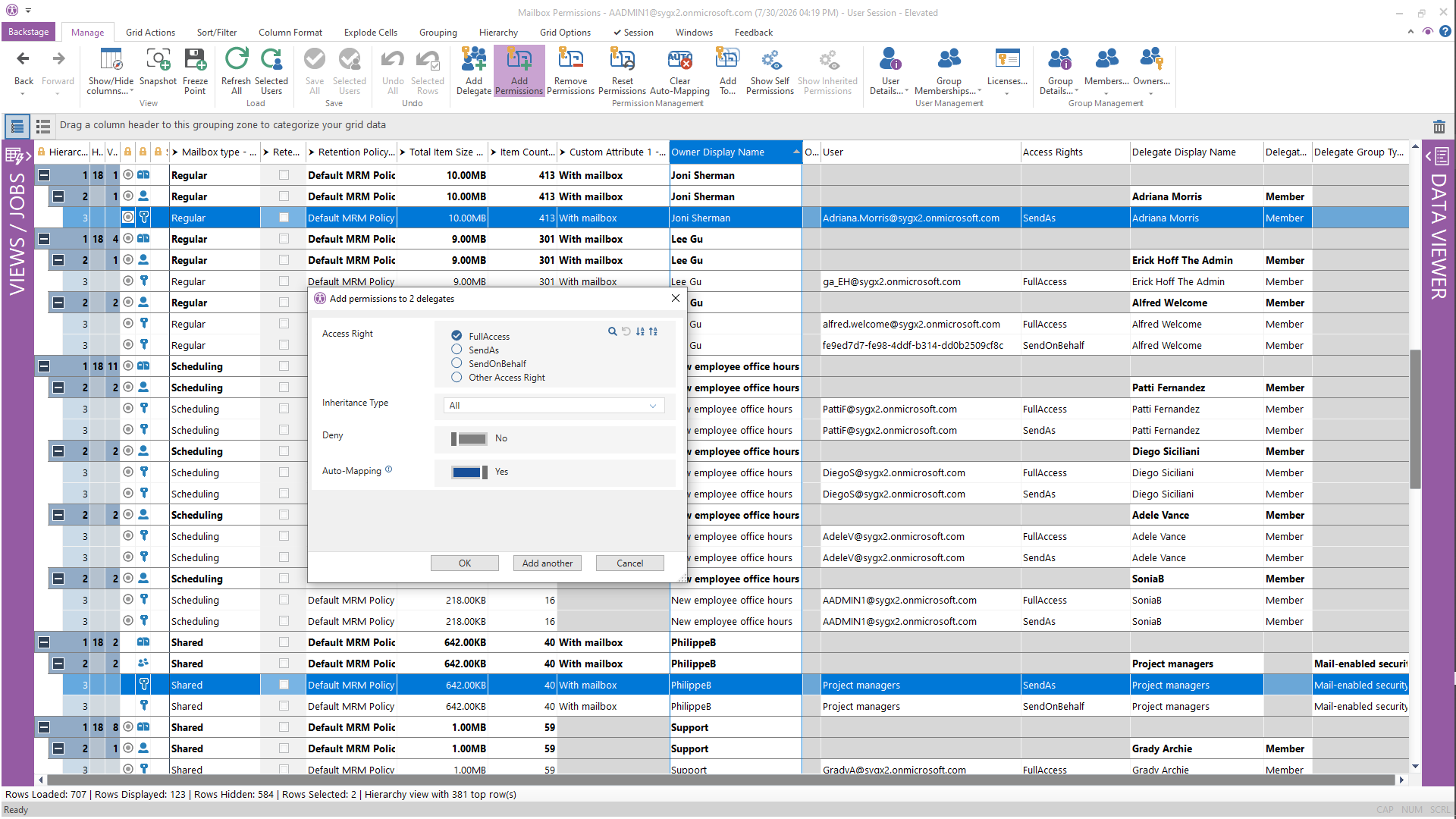
See inside mailboxes without becoming the owner — access the data admins actually need, safely.
- View mailbox permissions: Full Access, Send As, Send on Behalf, across all mailboxes at once
- See inbox rules, forwarding configurations, and delegation settings
- Grant or remove mailbox access for users or security groups in bulk
- Access whole mailbox folder structures and content metadata (including Recoverable Items folder)
- Search across mailboxes to find related messages
What native tools require: Exchange admin center plus PowerShell (Get-MailboxPermission, Get-InboxRule, etc.) — no global view of permissions across all mailboxes.
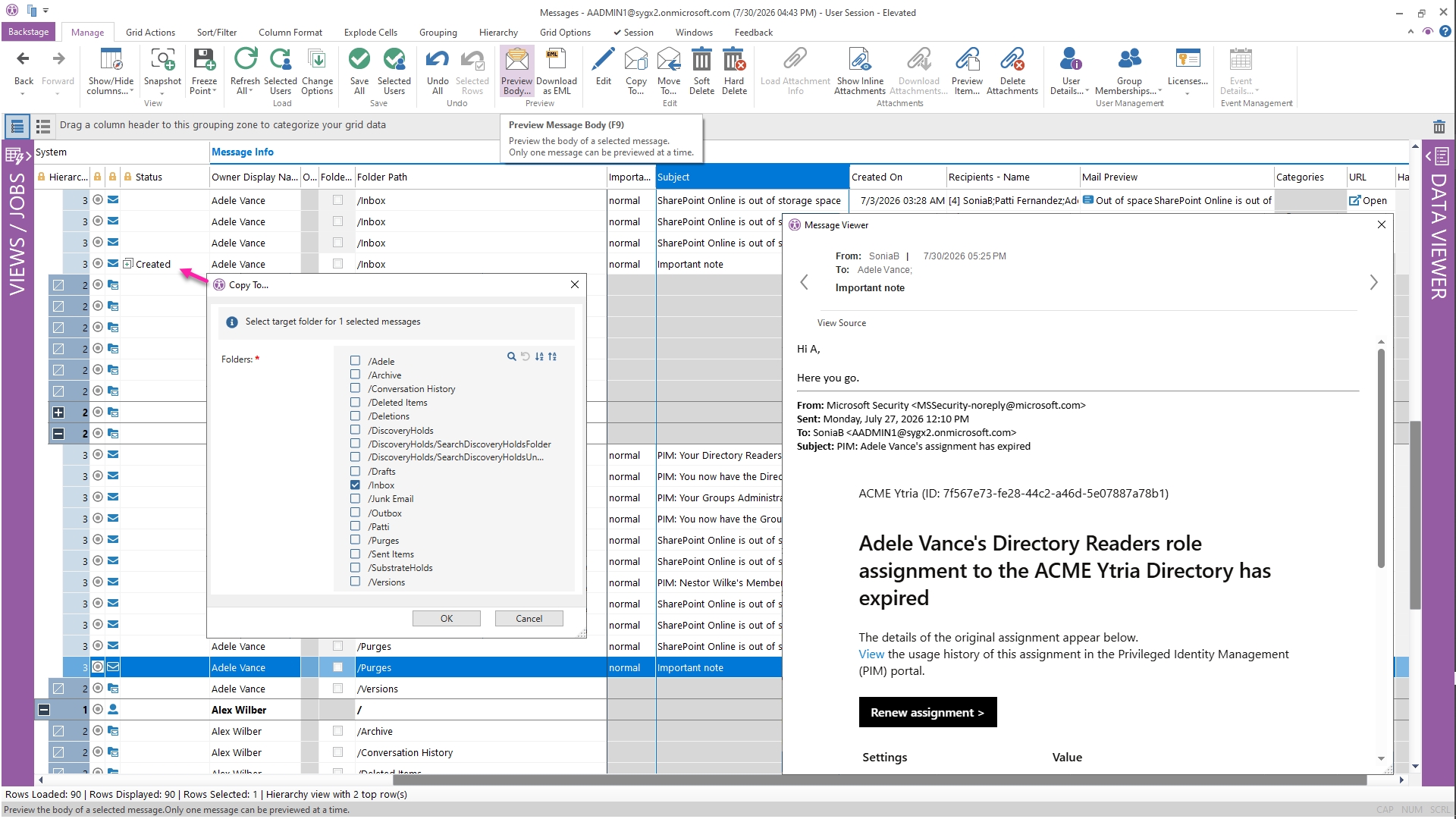
When compliance, legal, or security investigations require it, drill into email content without taking ownership of the mailbox.
- See email metadata: sender, recipients, subject, sent date, attachment types
- Download messages in EML format (viewable in any mail client)
- Copy, move, or hard-delete targeted emails across mailboxes
- Download or delete specific attachments
- Search for related emails across multiple mailboxes simultaneously
Use cases: Departing employee data retention, malicious email eradication, compliance audits, legal discovery support.
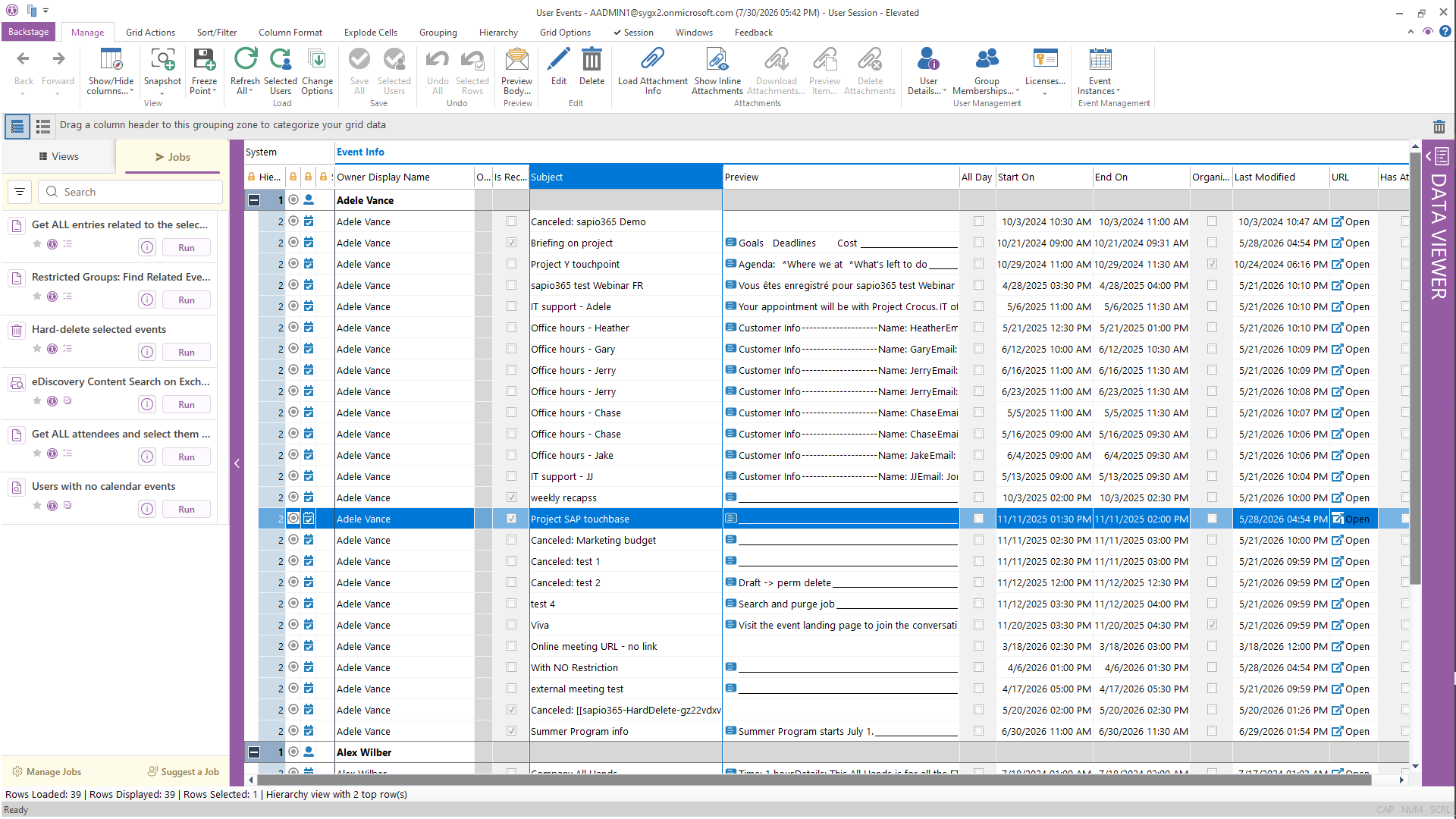
Access calendar data across your organization, without requiring calendar ownership or delegate access.
- View meeting metadata: participants, organizer, start/end dates, recurrence patterns
- Edit or delete meetings, including entire recurring series
- Download or delete meeting attachments
- Search for related invitation emails
- Hard-delete targeted calendar events when required
Use cases: Meeting audit trails, departing employee calendar cleanup, compliance reviews.
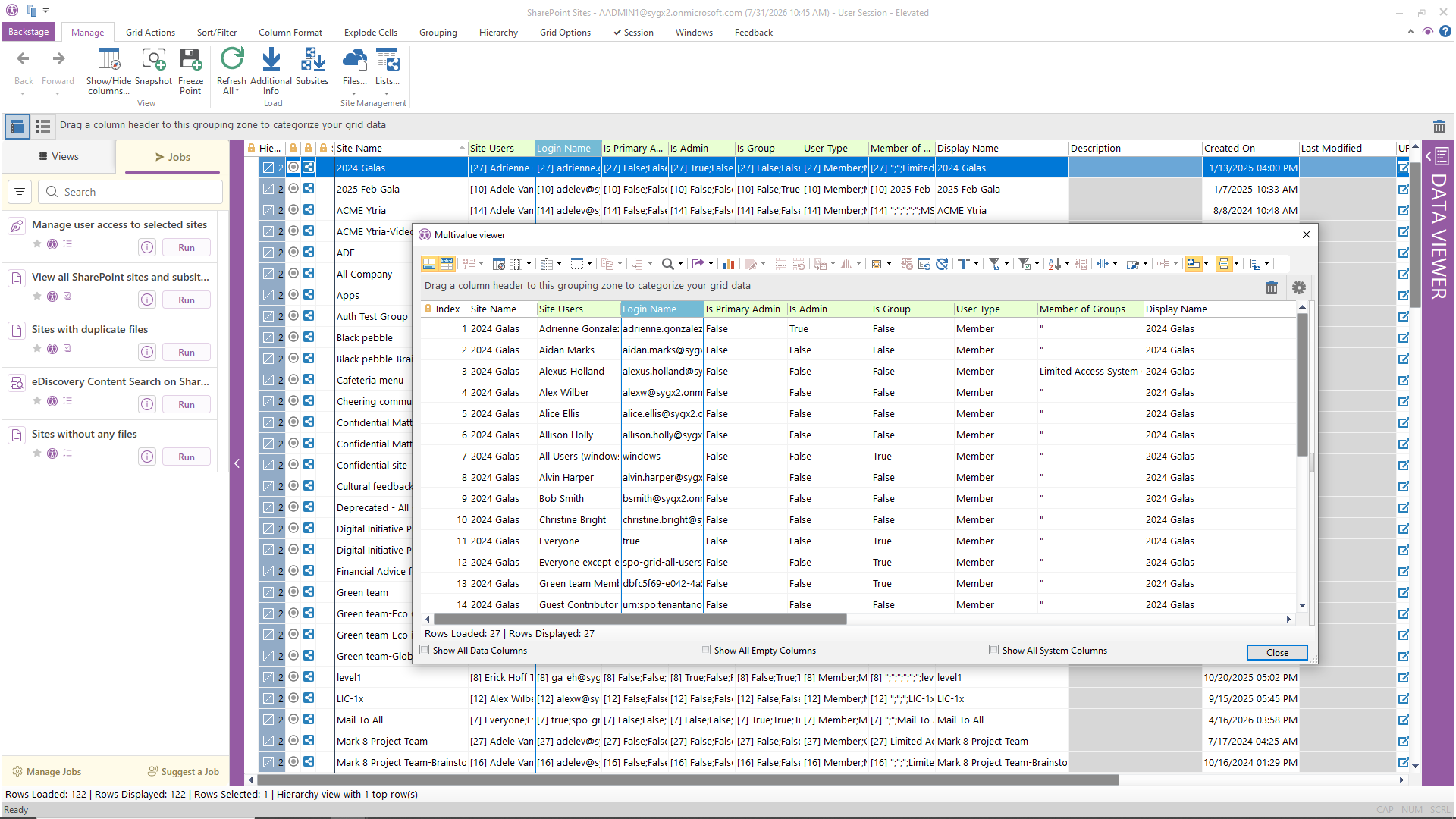
Close security gaps by understanding who has access to what, how documents are shared, and where sensitive data lives.
- See all SharePoint sites with metadata: description, last modified, storage used, quota
- Browse document libraries and folder structures across sites
- View how documents are shared, i.e. internal, external, anonymous links
- Correct inappropriate sharing permissions with a single click
- Download, upload, or rename documents and folders across sites
- Access SharePoint lists, list items, and columns
What native tools require: SharePoint admin center shows sites but not document-level sharing. Checking permissions requires site-by-site navigation or PowerShell.
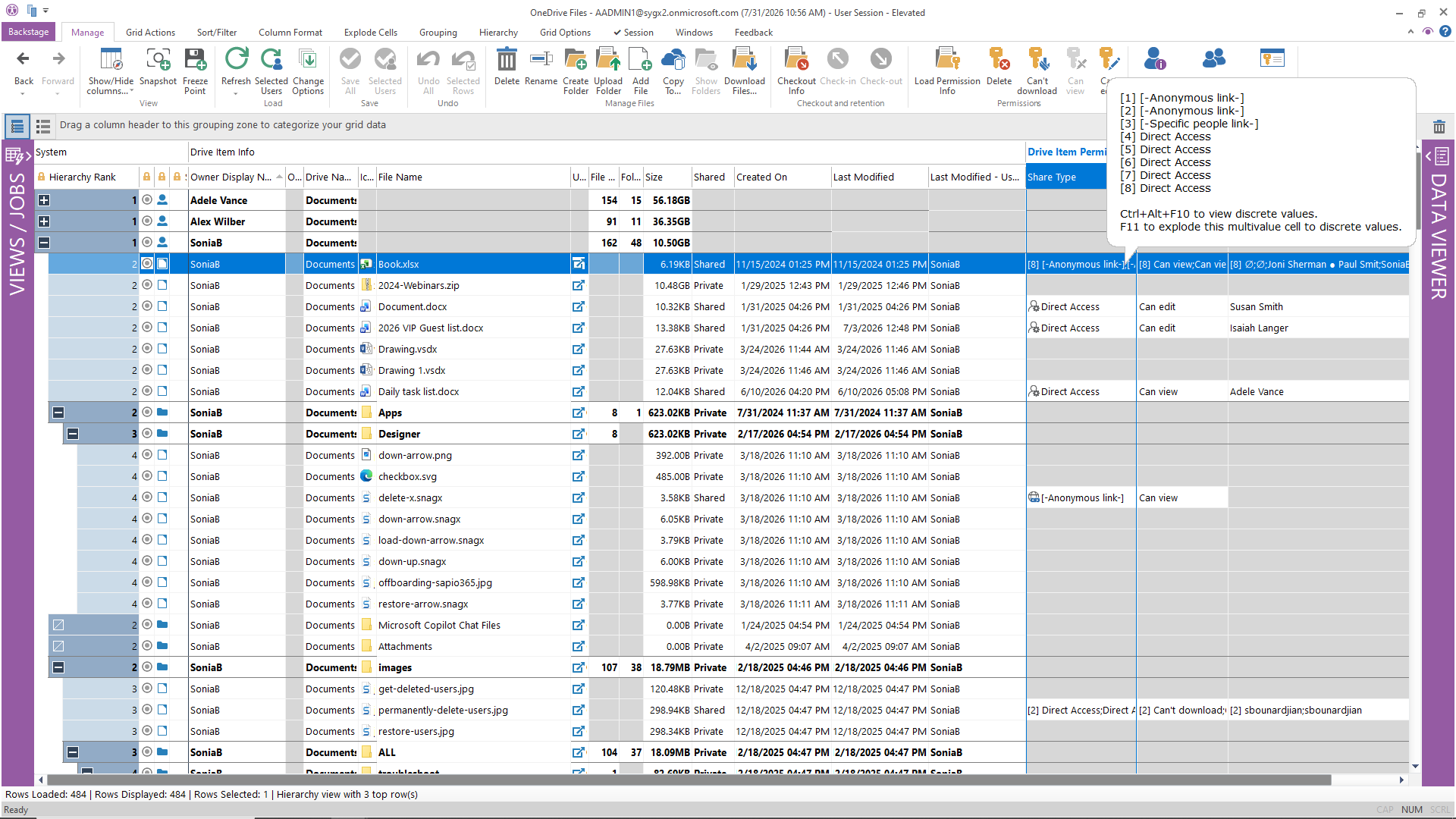
Extend the same visibility to user OneDrive accounts: see files, sharing links, and storage consumption.
- Access OneDrive documents and folder structures for any user
- View sharing permissions on individual files and folders
- Check-in documents left checked-out by absent users
- Download or upload files and entire folder trees
- Identify and revoke anonymous sharing links
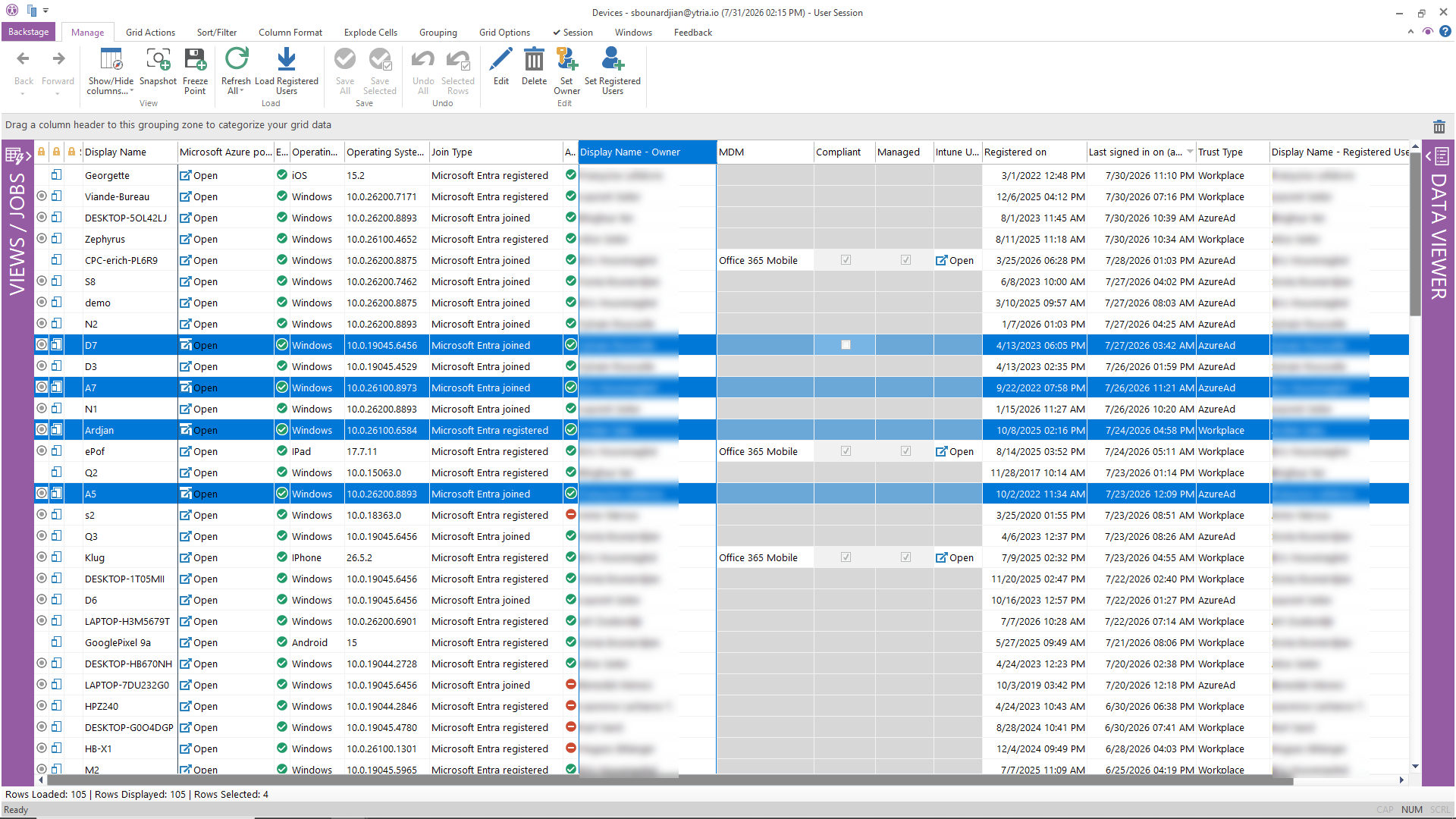
Get a comprehensive inventory of every registered device across your tenant, without Intune.
- List all registered devices with their attributes: OS, OS version, managed/unmanaged status
- Identify devices that are non-compliant or running outdated operating systems
- Track device registrations per user
- Export device inventories for asset management or audit purposes
What native tools require: Entra ID device list is basic. Detailed device info typically requires Intune. sapio365 gives you the Entra-level inventory in a filterable, exportable grid.
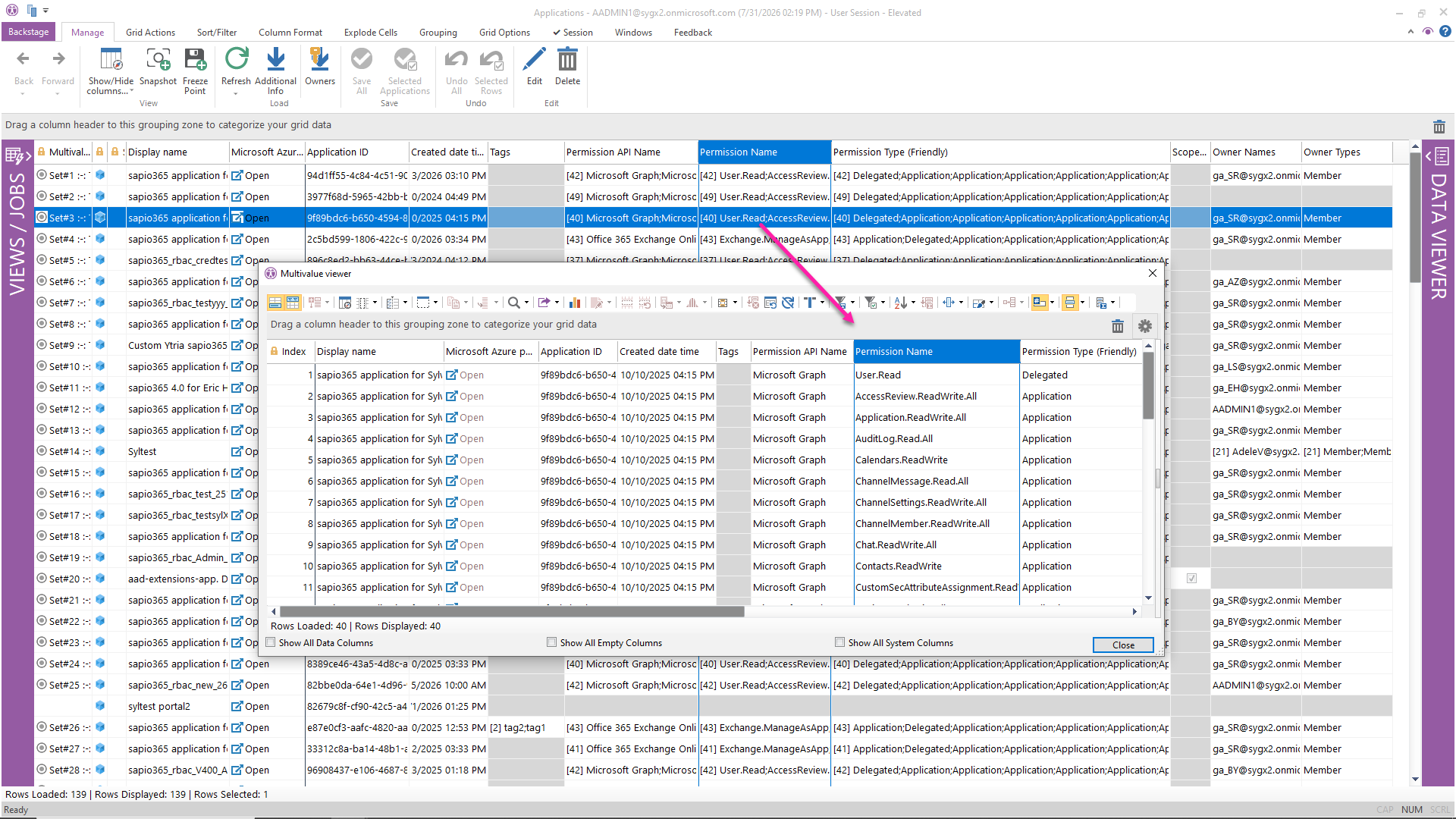
Know what applications have access to your tenant and what permissions they hold, before they become a security risk.
- List all service principals and their API permissions (delegated and application)
- Find associated registered applications
- Identify expired certificates and client secrets before they cause outages
- Delete obsolete app registrations in bulk
- Edit application names, descriptions, and information URLs
What native tools require: The Entra app registrations blade shows one app at a time. There is no native global view of all service principal permissions.
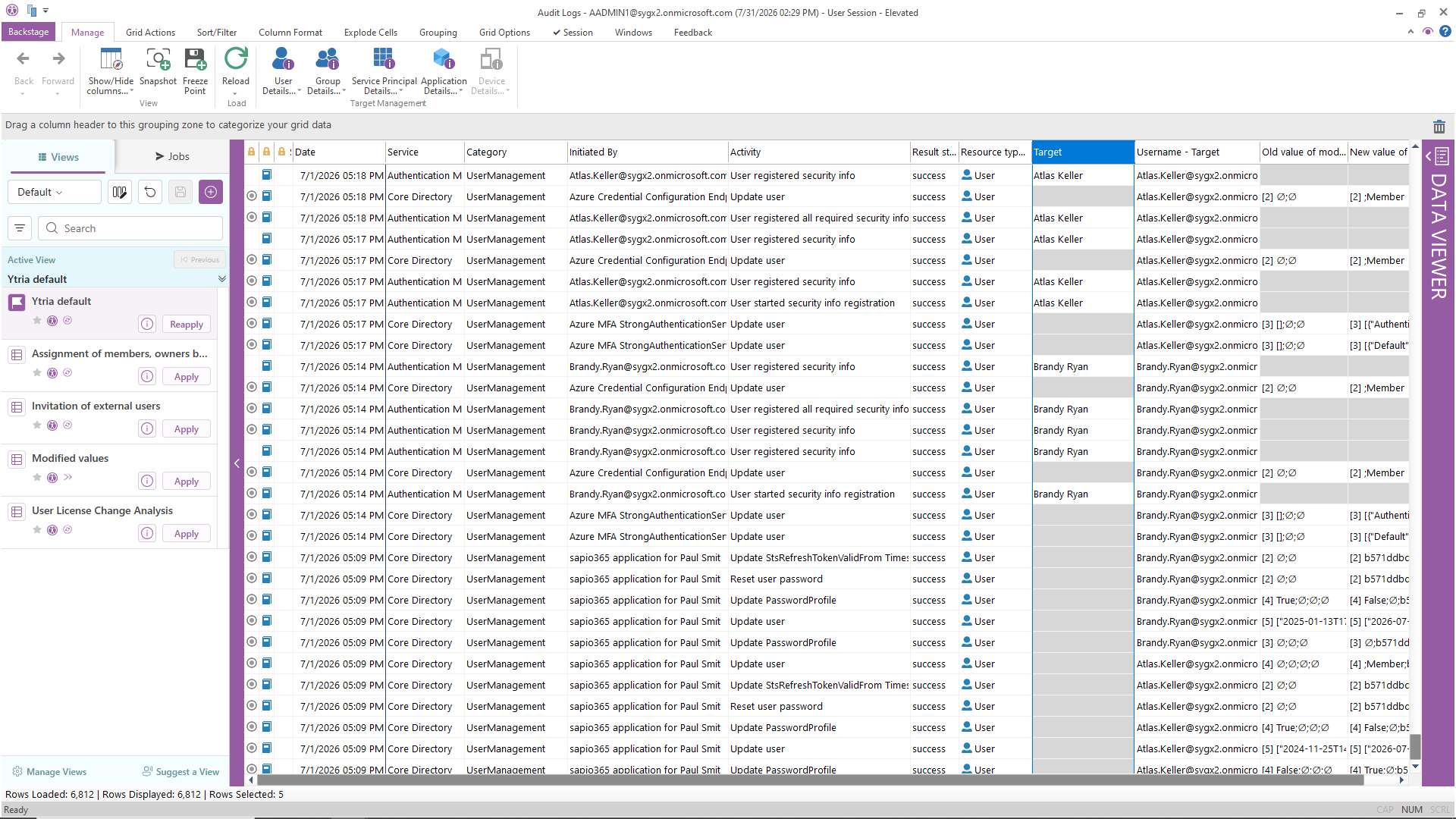
Turn raw audit data into actionable intelligence — without exporting CSVs and building pivot tables.
- See who changed what: user and group property modifications with previous and new values
- View sign-in events: who logged in, when, from where, success or failure
- Track MFA usage and sign-in frequency
- Filter and sort audit data using any property, not just by user or date
- Combine audit and sign-in data with user properties for enriched analysis
What native tools require: The Entra audit log and sign-in log provide raw data. Cross-referencing with user properties requires export + manual joining.
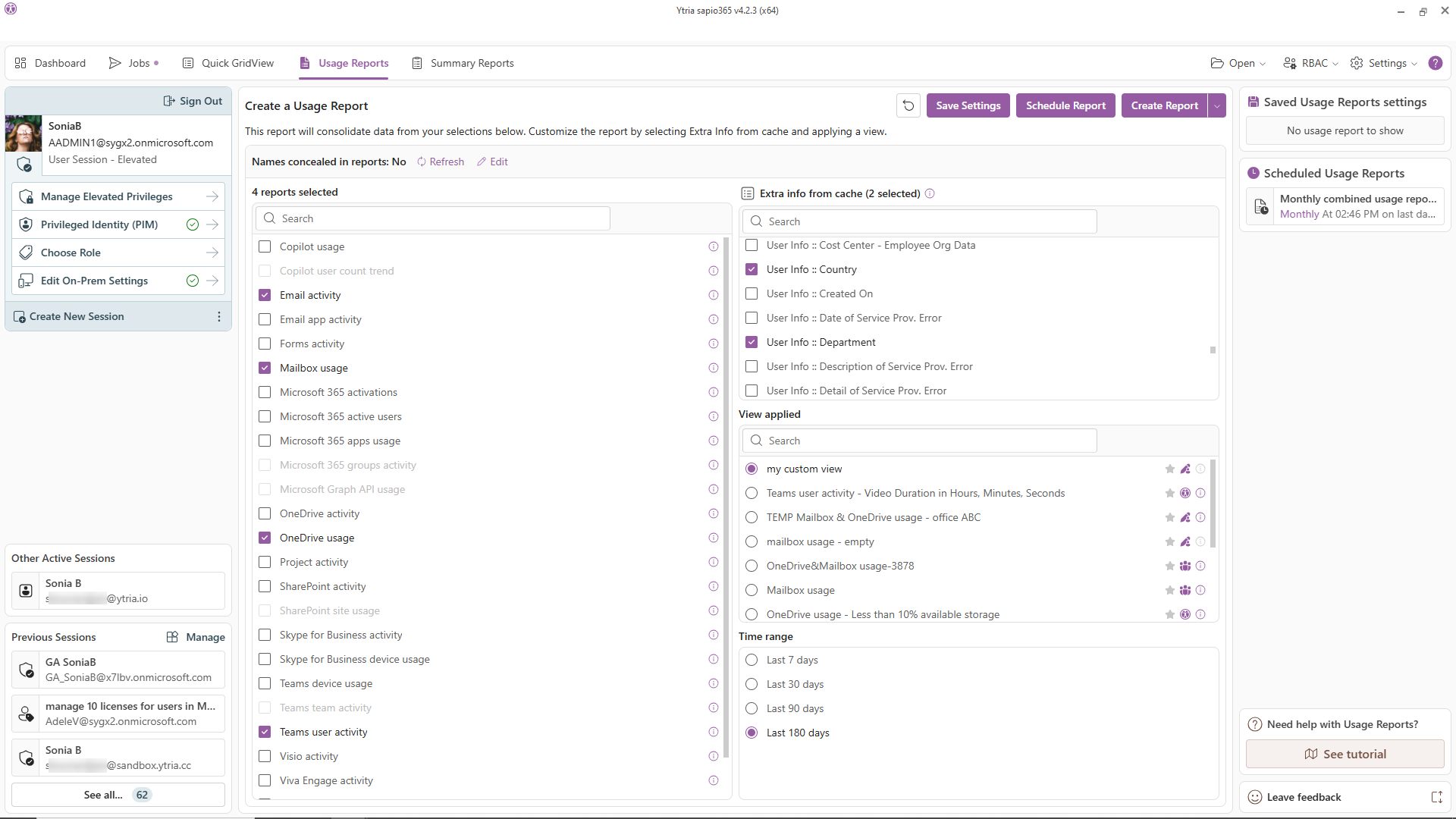
Go beyond Microsoft’s built-in usage reports: combine, enrich, and organize them the way you need.
- Build composite reports from multiple Microsoft 365 usage reports
- Enrich usage data with user or group properties (department, location, license type, etc.)
- Navigate from a usage report directly to the user or group view — and take action
- Organize data by any property, not just by user, for departmental, regional, or role-based analysis
What native tools require: M365 usage reports are siloed by service (Teams, Exchange, SharePoint). Combining them requires export, manual merging, and a reporting tool.

It’s all about clicks – not writing code.
sapio365 is a Microsoft Office 365 admin tool that transforms the way you work.
It’s all about clicks – not writing code.
sapio365 is a Microsoft Office 365 admin tool that transforms the way you work.
Why sapio365 for data visibility?
| sapio365 | Native Microsoft 365 admin portals | |
|---|---|---|
| Visibility | All in a single grid interface | Scattered across 6+ admin portals |
| Properties | 300+ filterable, sortable, groupable | Limited per portal, varies by service |
| Hybrid support | Cloud + on-prem attributes in one view | Separate tools, separate views |
| Bulk operations | Yes: preview changes before committing | Limited native bulk operations, no preview |
| Data processing | 100% local, no third-party cloud, ever | You're already in Microsoft's cloud, native tools add no third party |
| Data security | Desktop app, no third-party cloud, no proxy | Portal access only, no offline analysis |
See it for yourself.
The trial is instant and free: install in minutes, and start exploring your own tenant right away. Want more time? Just ask and we’ll extend it. Want company? A Ytria product expert can walk your tenant with you. Optional, always free.
No credit card. No cloud deployment. Your data never leaves your environment.
Related Articles

Avoid the Microsoft 365 Admin Center to Update Users and Do It in Way Less Time!
Updating user information is a common occurrence for Microsoft Office 365 admins, but going through the Microsoft 365 admin center can be a tedious…

Managing Microsoft 365 Group Members with Ease
Faced with the difficulty in using the Microsoft admin portal, many IT admins managing Microsoft 365 groups with over 1,000 users will search to…

Easy Microsoft Office 365 Reporting without PowerShell
It can be tough to be a Microsoft 365 admin if you don’t know PowerShell. It can be a helpful tool for accomplishing many regular tasks such as…