
sapio365 4.3: AI-powered help and clearer Microsoft 365 insights

Connect your favorite desktop AI to sapio365, investigate user activity, manage calendar access, track call costs, and see exactly what changed in your data.
sapio365 4.3 brings AI connectivity to your workflow, so you can ask questions and carry out tasks through your favorite desktop AI client, with safeguards to keep you in control. New Unified Audit Logs, calendar permission management, and PSTN reporting help you investigate activity, manage access, and track call costs.
You can also spot what changed after a GridView refresh by comparing previous and current values. Automatic locking, broader email investigations, more flexible RBAC scopes, and other improvements make everyday Microsoft 365 administration easier.
Scroll down to see highlight details or click on the links below:
- Bring your favorite AI into your sapio365 workflow
- Investigate activity with Unified Audit Logs
- Manage calendar access in one place
- Get a clearer picture of PSTN calls
- See exactly what changed after a refresh
- Automatically lock sapio365 when you step away
- Take more control of inbox rules
- Grant admin consent from Service Principals
- Include delegates’ mailboxes in email investigations
- Get mailbox details for more group types
- Control which security groups can have guests
- Explore sign-ins with greater clarity
- Bring more mailboxes into your message trace
- Skip typing your username for admin consent
- Make RBAC scopes more flexible
Bring your favorite AI into your sapio365 workflow
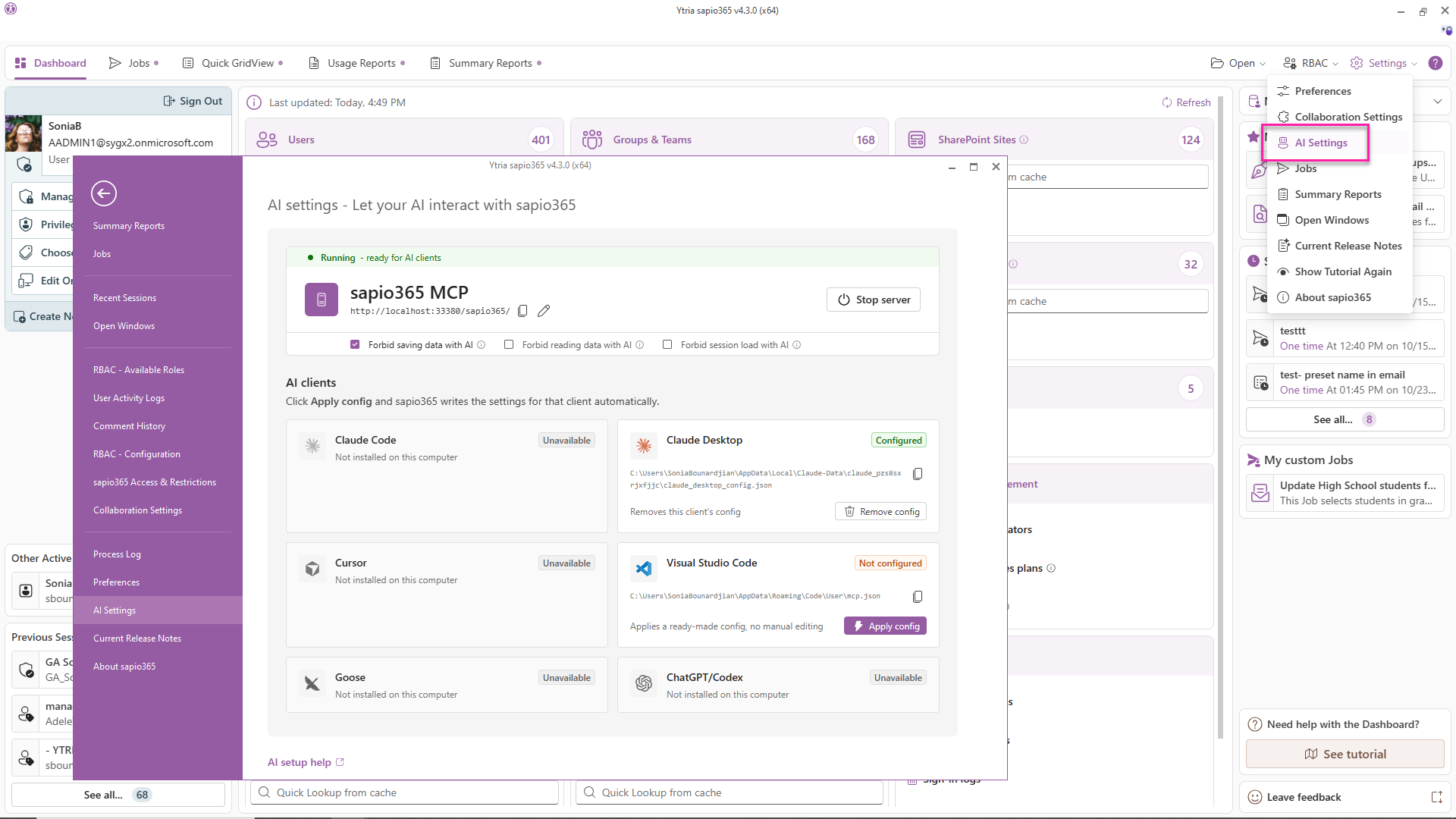
Ask questions and get tasks done through your sapio365 session using prompts in your favorite desktop AI client. Connect through the new AI Settings section in the backstage, then start with “Use sapio365 to…” and describe what you need. Want more control? Use safeguards to prevent AI from saving changes or reading GridView data while still letting it help you open the views you need.
Investigate activity with Unified Audit Logs
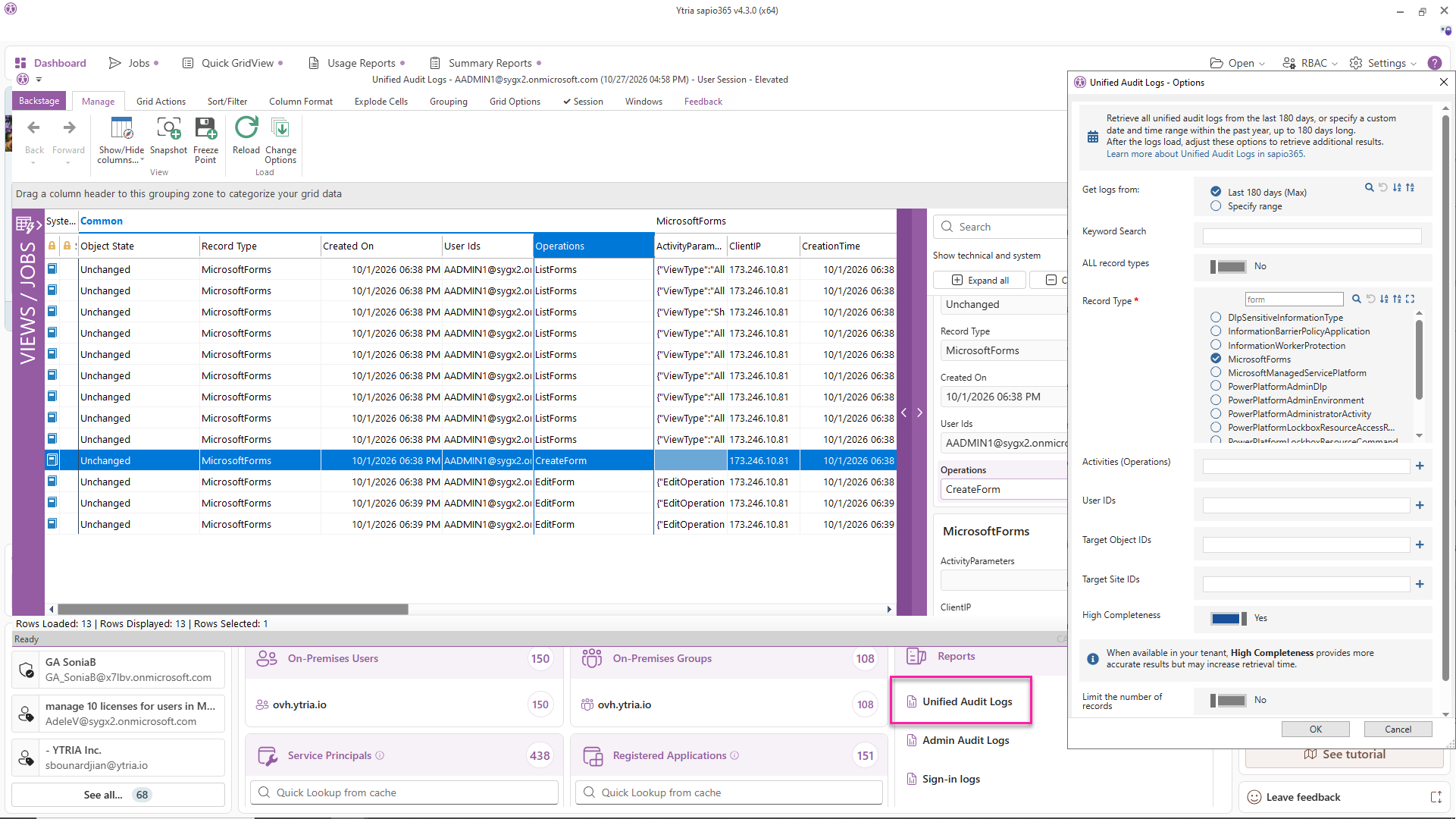
Explore user activity and more with the new Unified Audit Logs module on the Dashboard. Filter by keyword, record type, activity, user, or target to find what you’re looking for. The module currently uses PowerShell queries for faster, more robust results.
Manage calendar access in one place
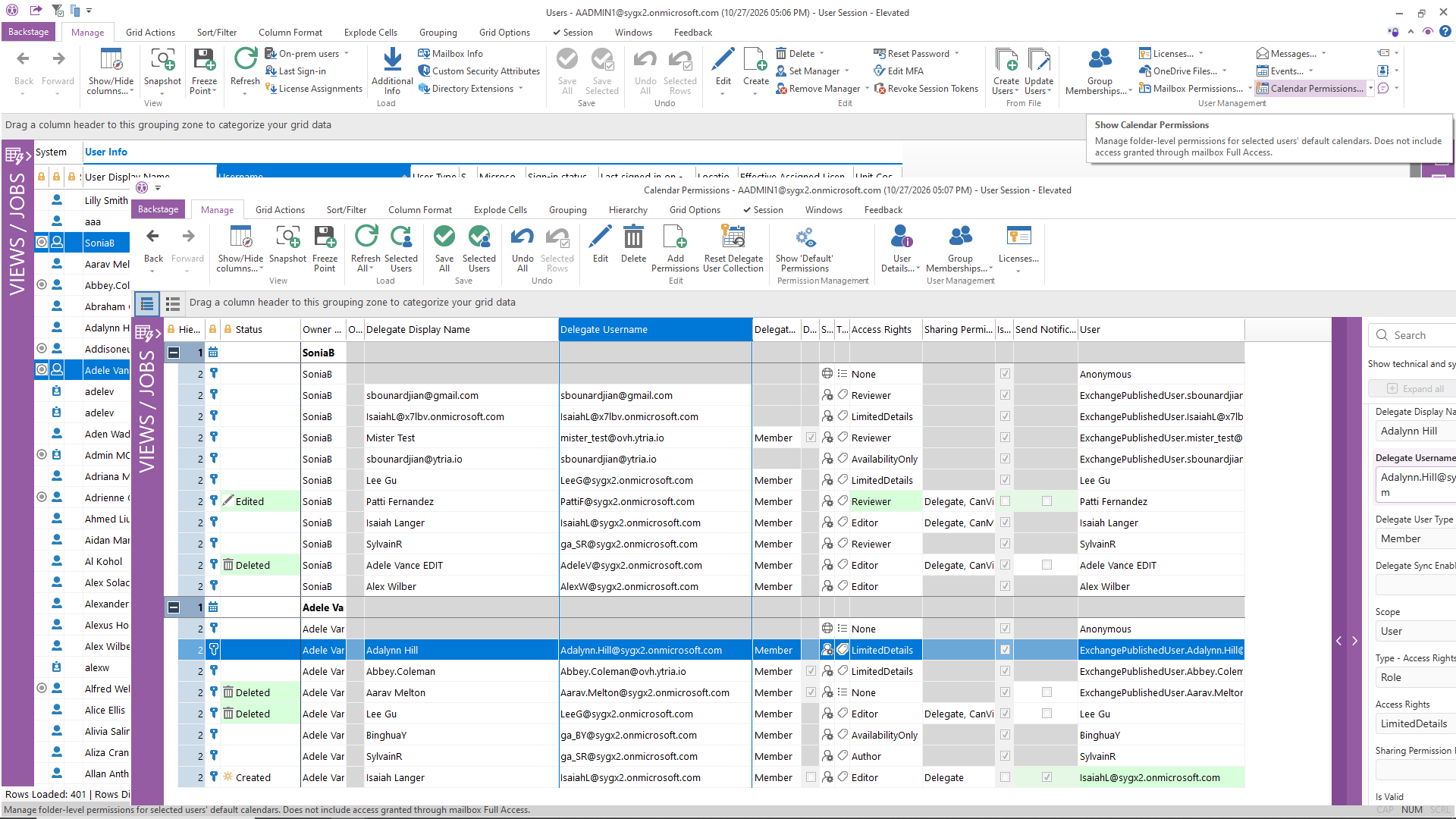
Use the new Calendar Permissions submodule in Users to review and manage access to users’ default calendars, excluding access granted through mailbox Full Access. Select multiple users to load their calendar permissions, then add or remove delegates in one click, update permissions, or reset calendar delegation information to resolve corruption. Need a global calendar sharing report? Query all users, or schedule the default view from the Quick GridView section if you have many calendars to process.
Get a clearer picture of PSTN calls
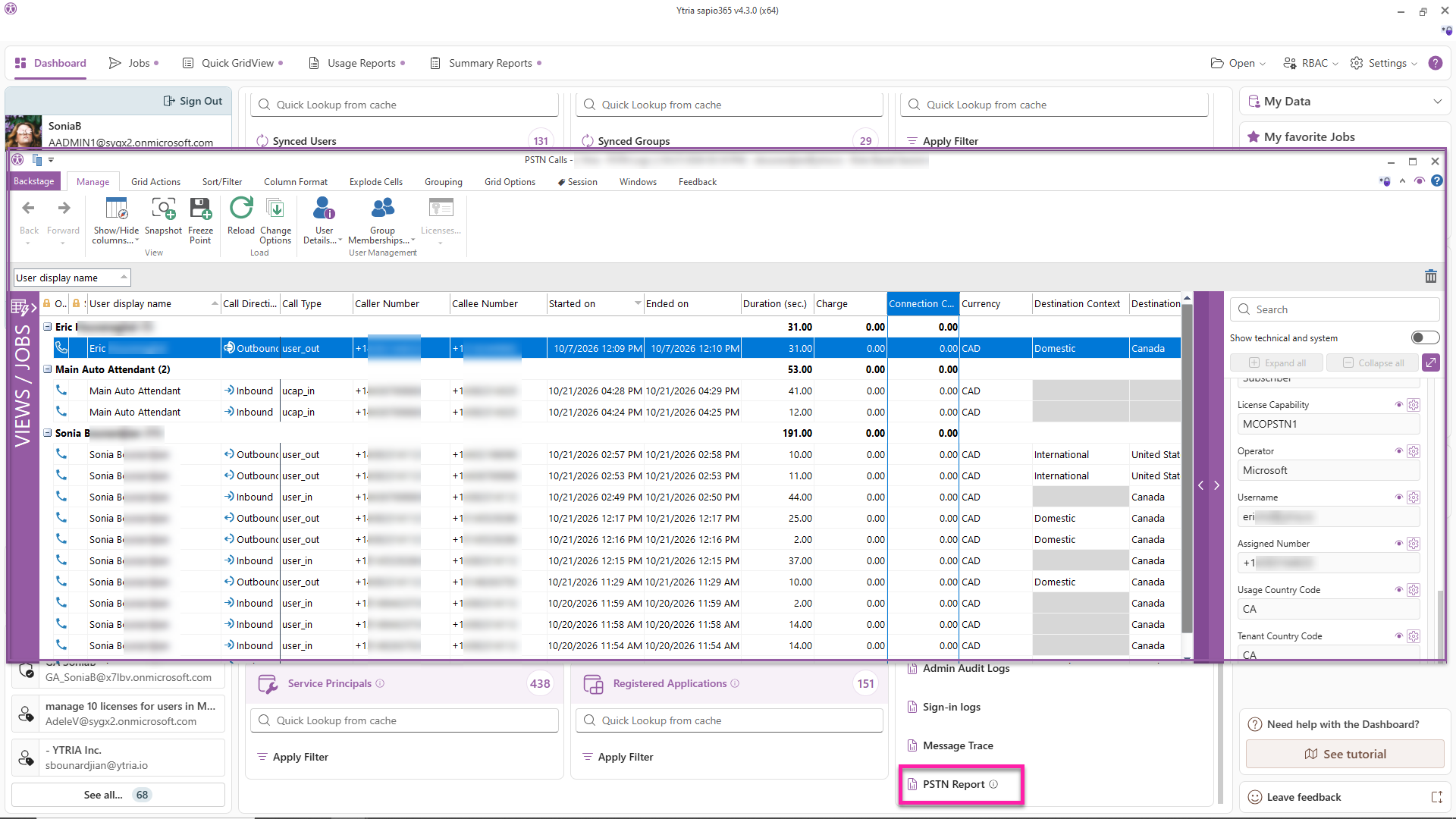
See time spent on inbound and outbound calls, associated charges, and user details for the last 90 days with the new PSTN (Public Switched Telephone Network) Report on the Dashboard. Filter by date range and add more user properties from the cache for extra context. The report is available in elevated and app sessions only.
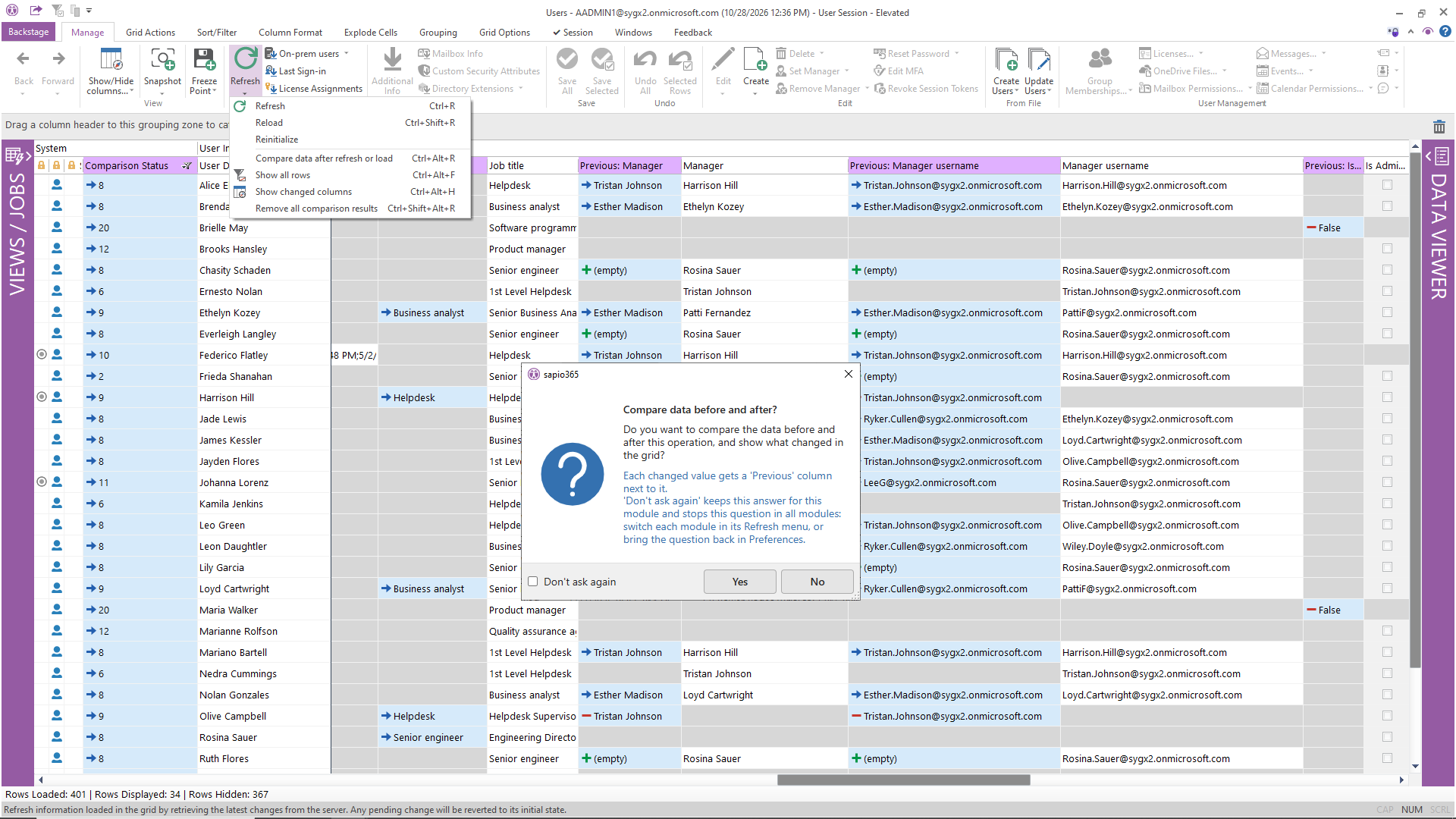
See exactly what changed after a refresh
Spot changed attributes after a GridView refresh and compare their previous and current values, including cached attributes. For data that isn’t cached, save a Freeze Point and refresh it later to see what has changed since that snapshot. For example, track changes to users’ job titles and managers to see their previous titles and who they reported to before. This option is available only in views that support Refresh and have values that can change, so you won’t see it in logs or reports.
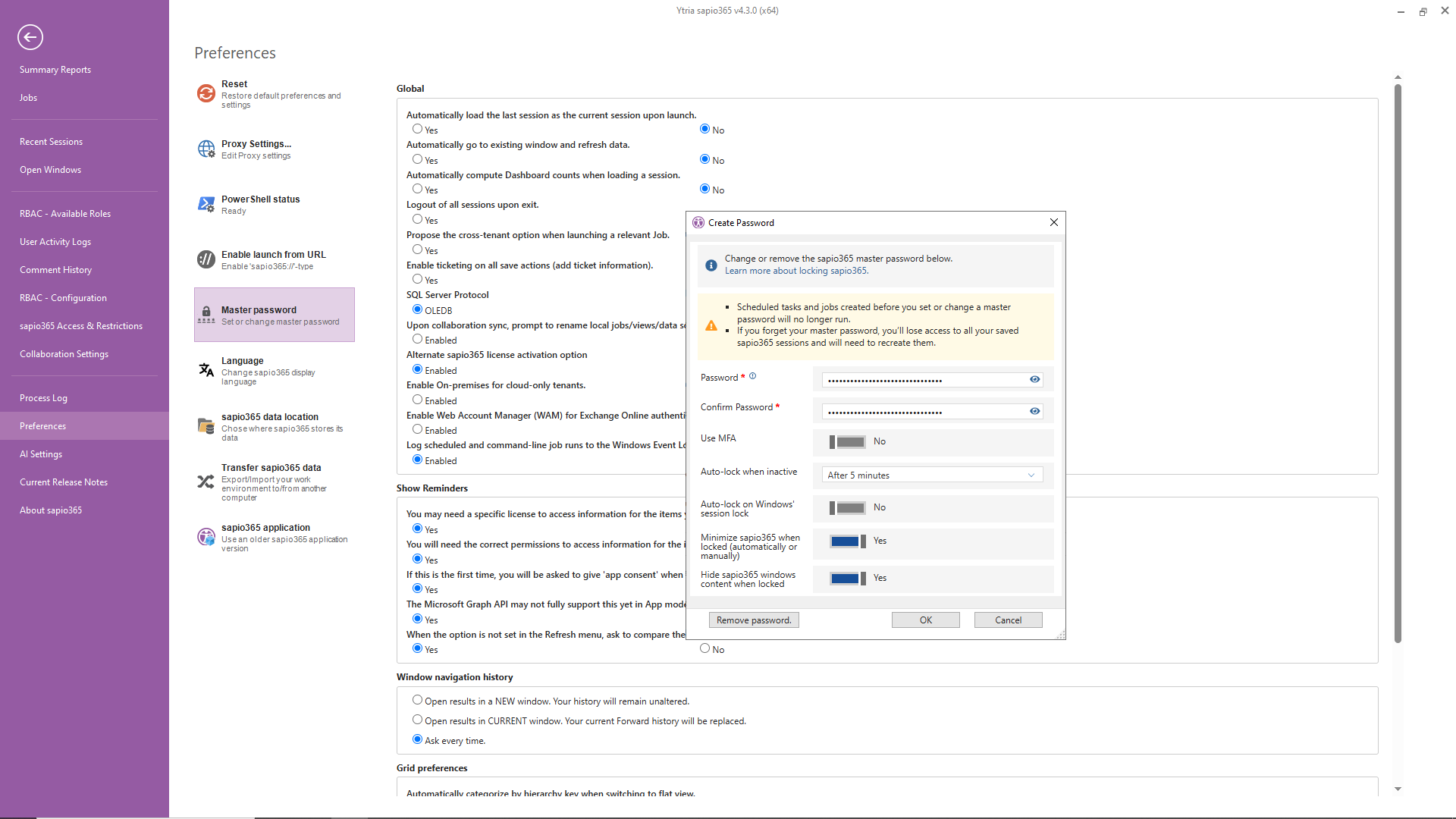
Automatically lock sapio365 when you step away
If you use a sapio365 master password, you can now set sapio365 to lock and hide open GridView data after a period of inactivity or when your Windows session locks. It’s an extra layer of protection when you step away, especially on a shared computer. Jobs and tasks scheduled after the master password was configured will still run behind the scenes while sapio365 is locked.
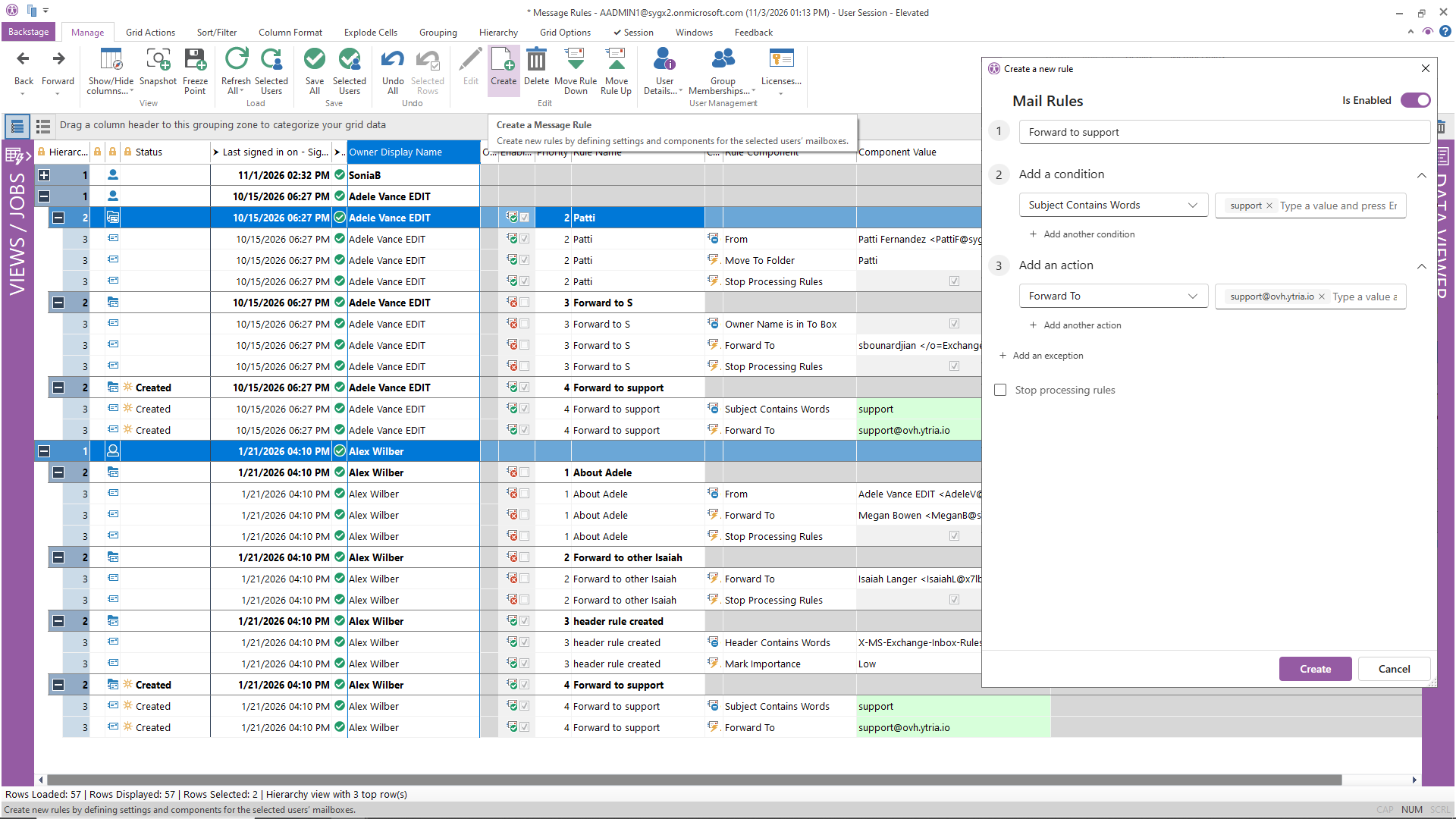
Take more control of inbox rules
Go beyond viewing and deleting inbox rules with new options to create and edit rules in the Message Rules submodule in Users. Create the same rule for several mailboxes in one go, or edit an existing rule to change its priority order, enable or disable it, or update its components. Editing is limited to one rule at a time.
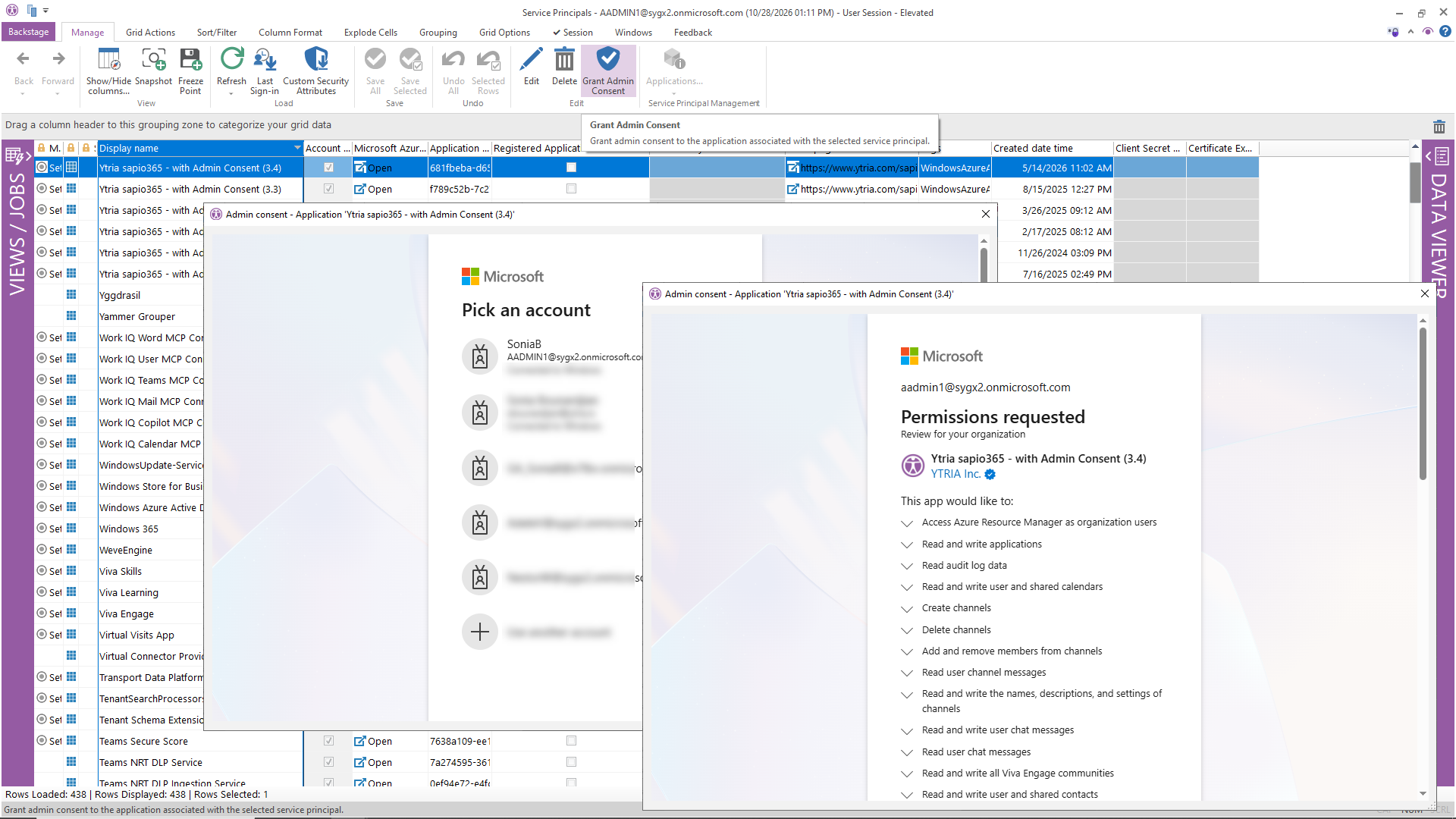
Grant admin consent from Service Principals
Grant admin consent to an application directly from the Service Principals view. Select its service principal and click Grant Admin Consent in the ribbon to start the consent process without leaving the view you’re already working in.
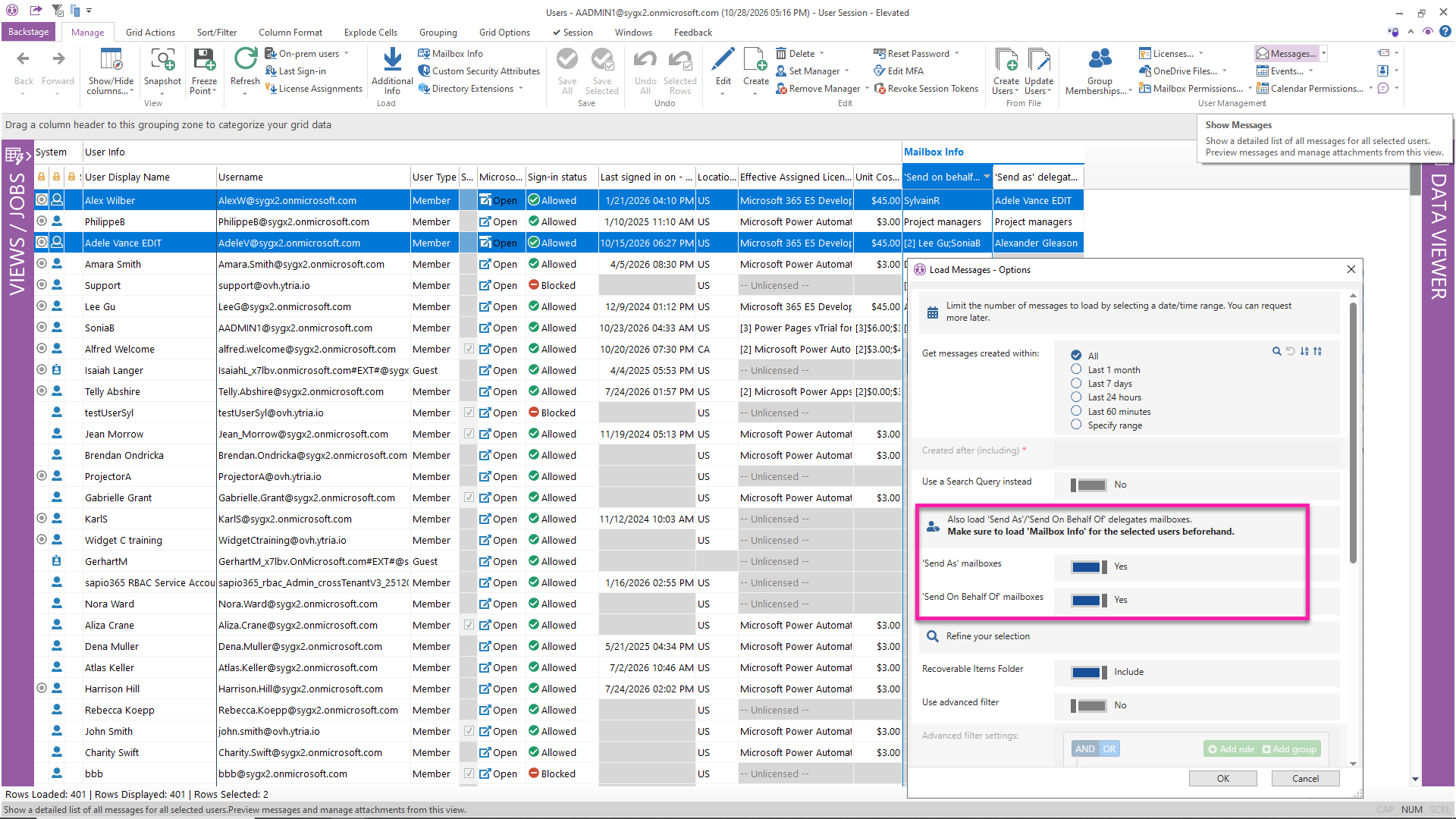
Include delegates’ mailboxes in email investigations
Looking into messages from specific mailboxes? When loading users’ messages or adding mailboxes from the Sessions tab, you can now include messages from their Send As and Send on Behalf of delegates’ mailboxes too. Just load delegate information into the cache first so those extra mailboxes are available.
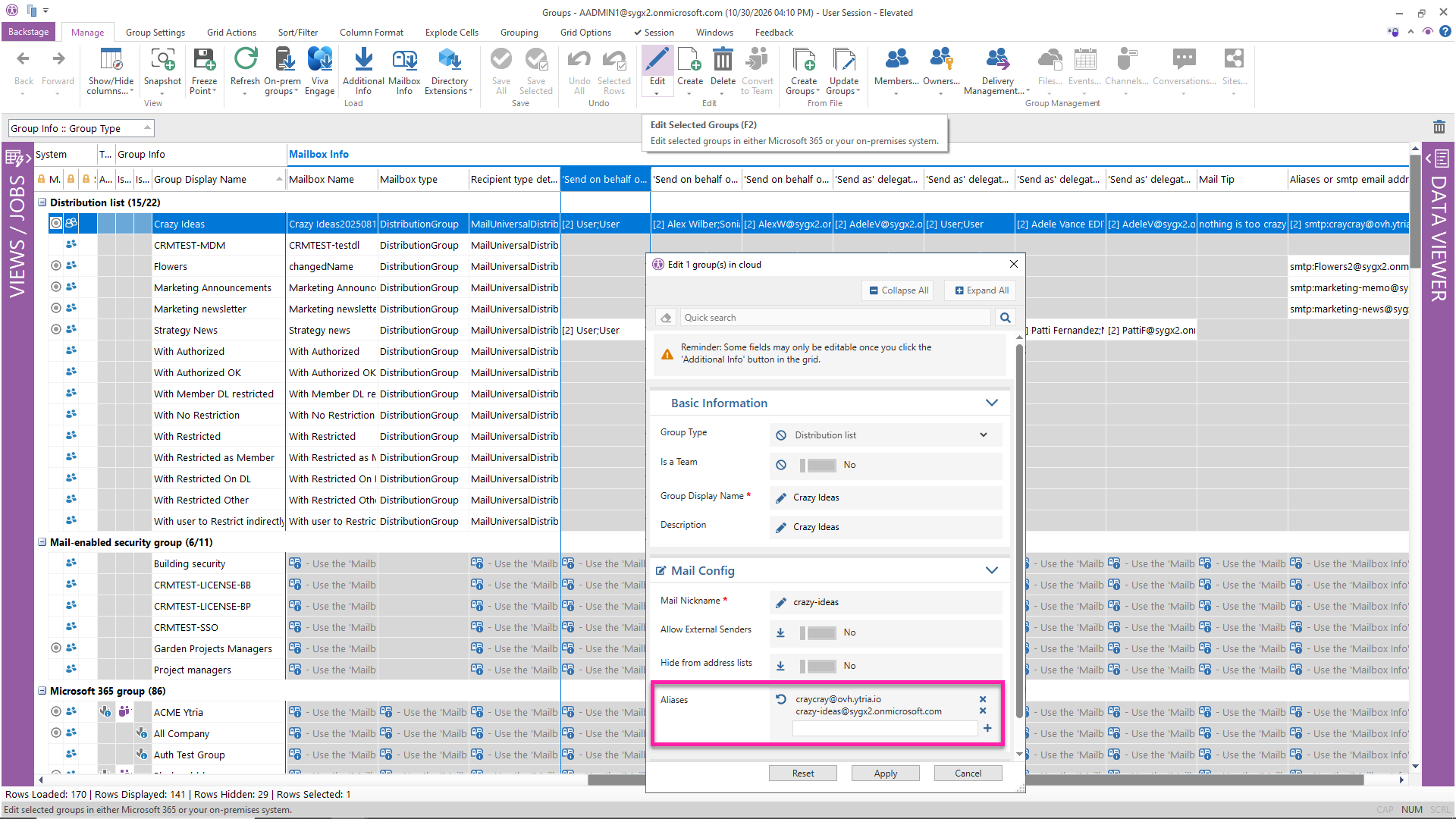
Get mailbox details for more group types
Mailbox Info in the Groups view now works with distribution groups and mail-enabled security groups, not just Microsoft 365 groups. Update their list of aliases, or find out who has Send As or Send on Behalf of permissions.
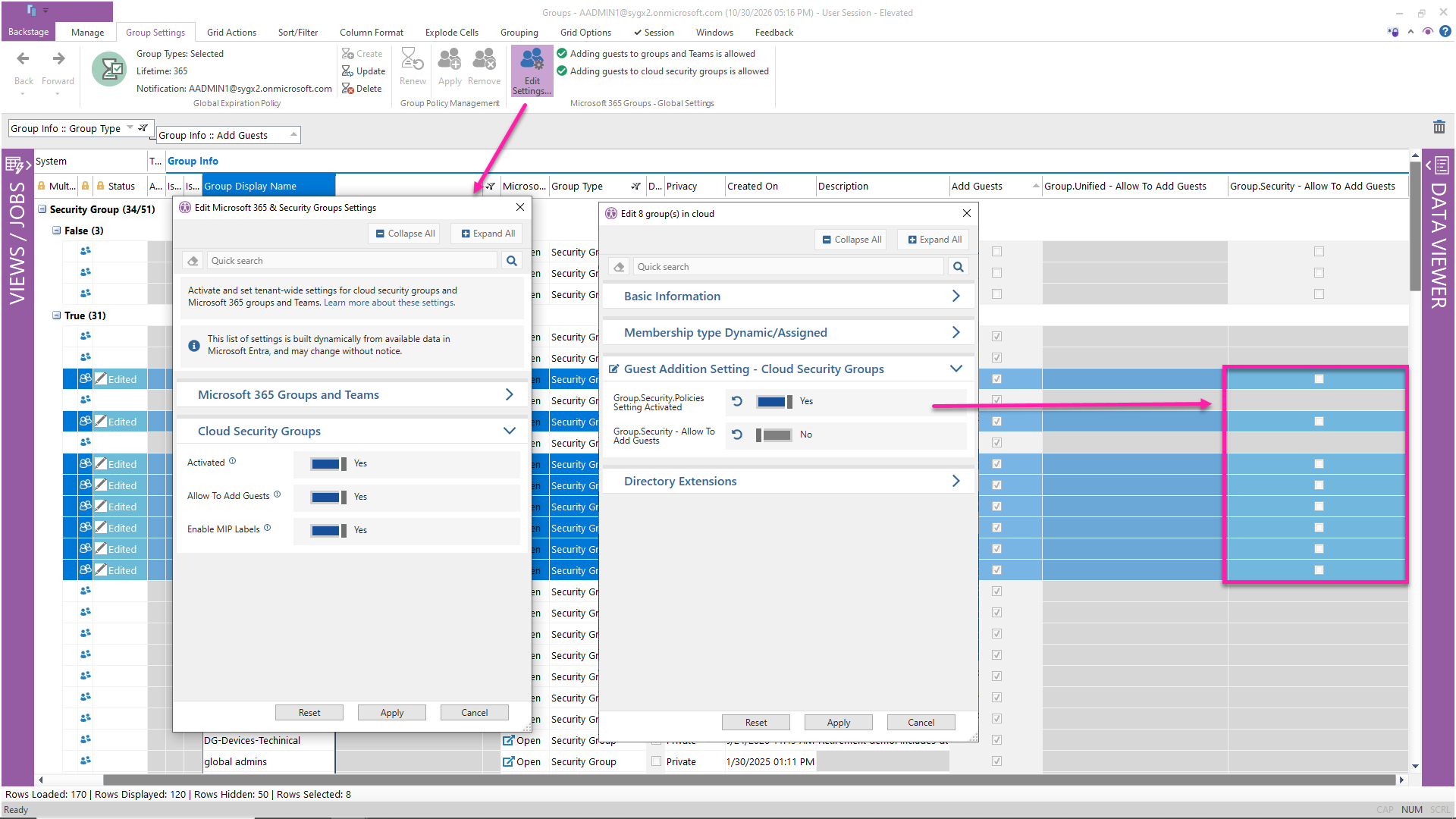
Control which security groups can have guests
You can now manage the Allow To Add Guests setting for individual cloud security groups, just as you do for Microsoft 365 groups. To manage the setting across your tenant, go to Group Settings or Global Settings on the Dashboard.
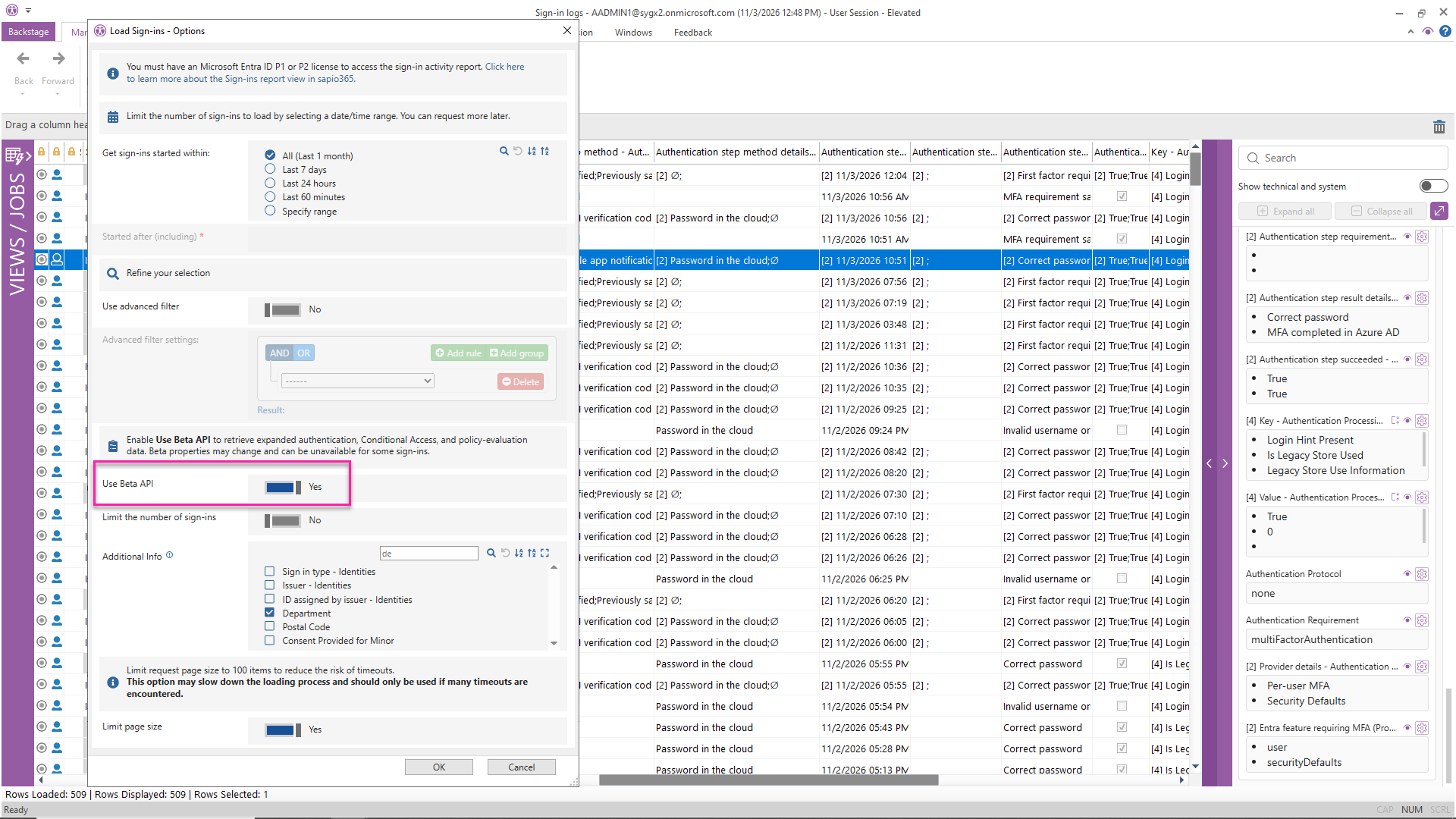
Explore sign-ins with greater clarity
Make sense of sign-in activity with clearer column titles, more filters, and additional properties. Turn on the Beta API option for more authentication, Conditional Access, and policy-evaluation details to help answer questions like “Which MFA method did a user last use?”.
Bring more mailboxes into your message trace
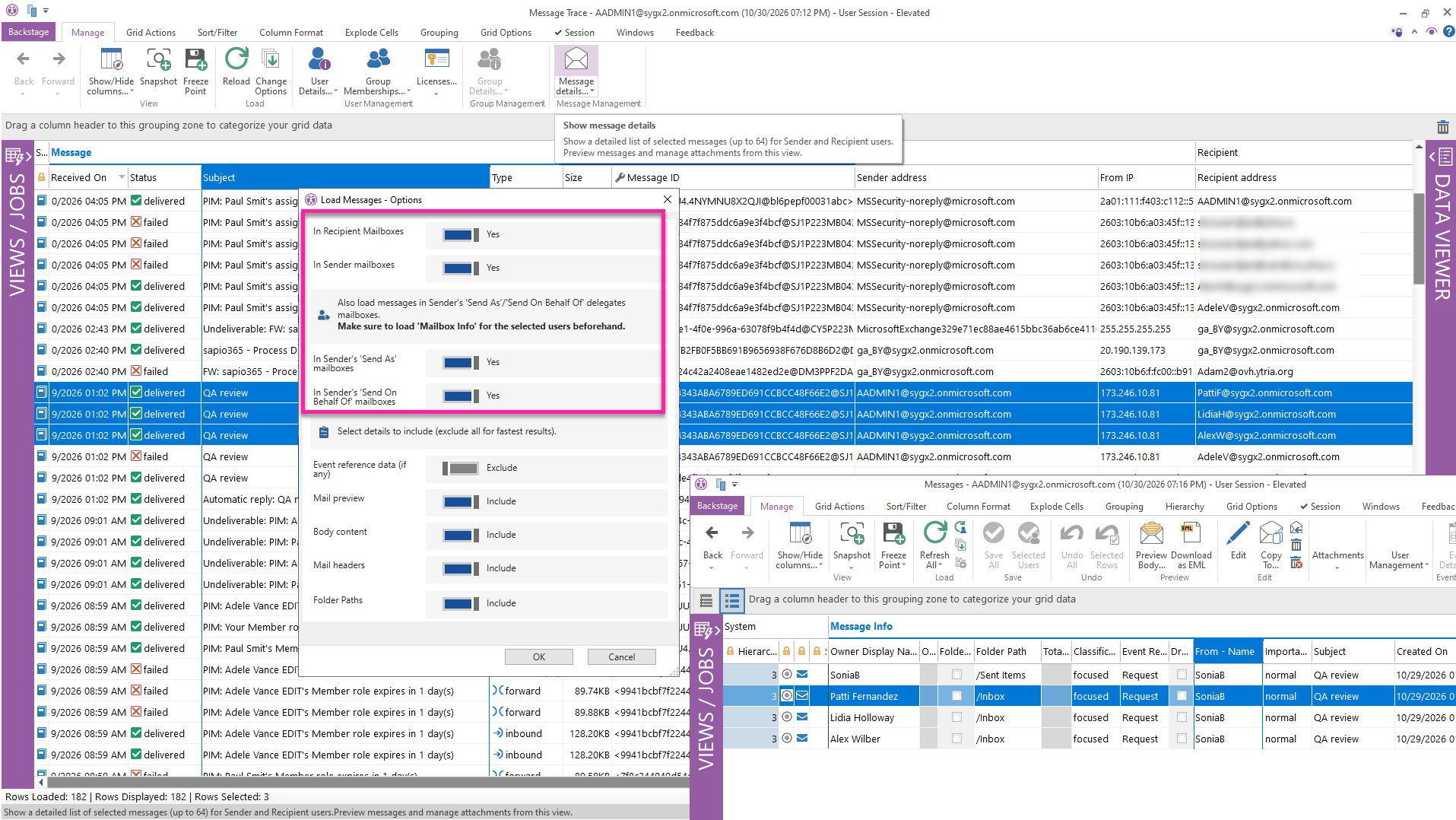
Need to dig a little deeper into a message? Expand Message Details in Message Trace to include sender and recipient mailboxes, plus their Send As and Send on Behalf of delegates’ mailboxes. You can also include these extra mailboxes when loading users’ email messages directly.
Skip typing your username for admin consent
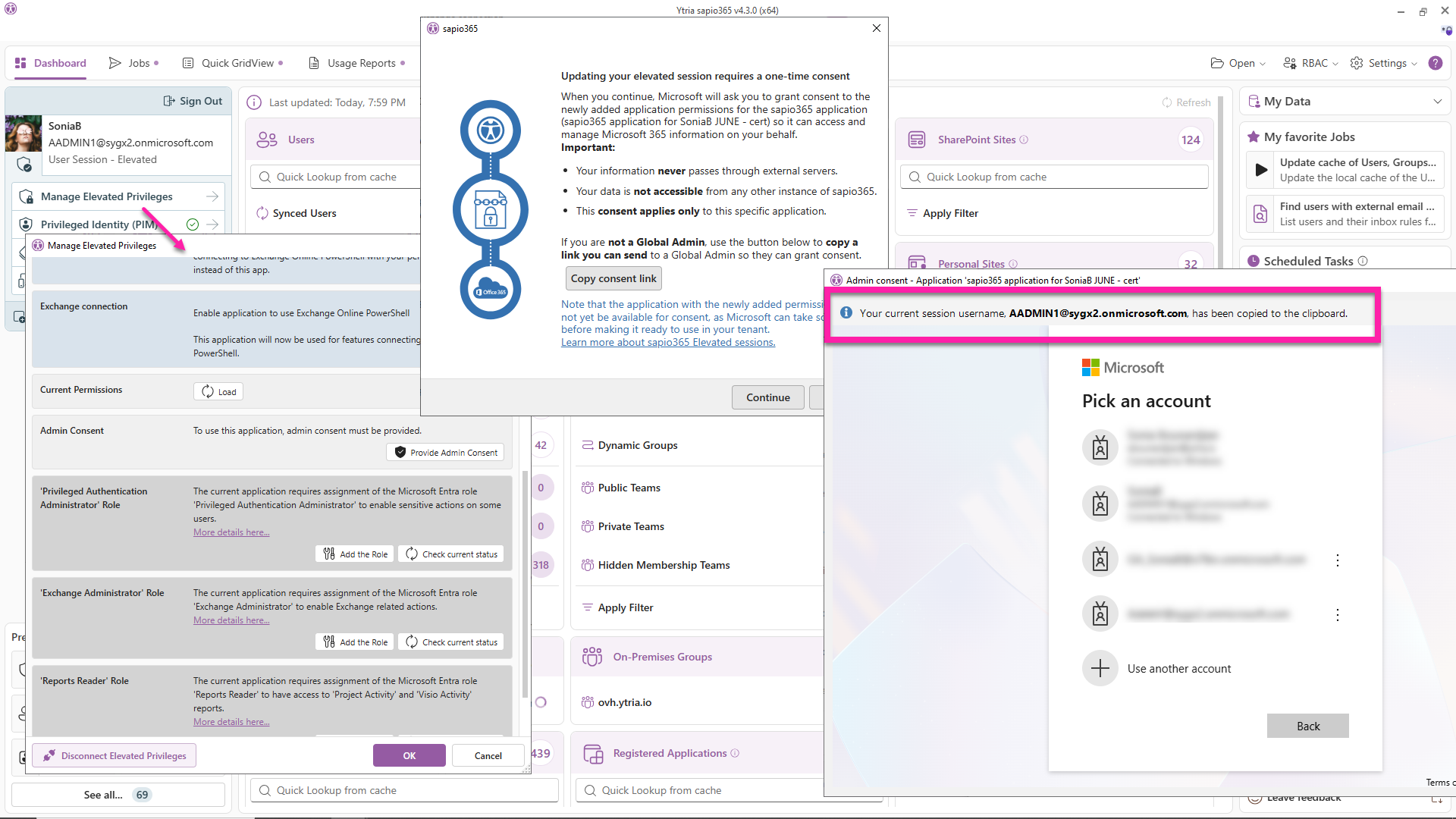
When you grant admin consent to an application’s permissions, sapio365 now copies the current session’s username to your clipboard before the consent dialog opens. Just paste it into the dialog to save a little typing.
Make RBAC scopes more flexible
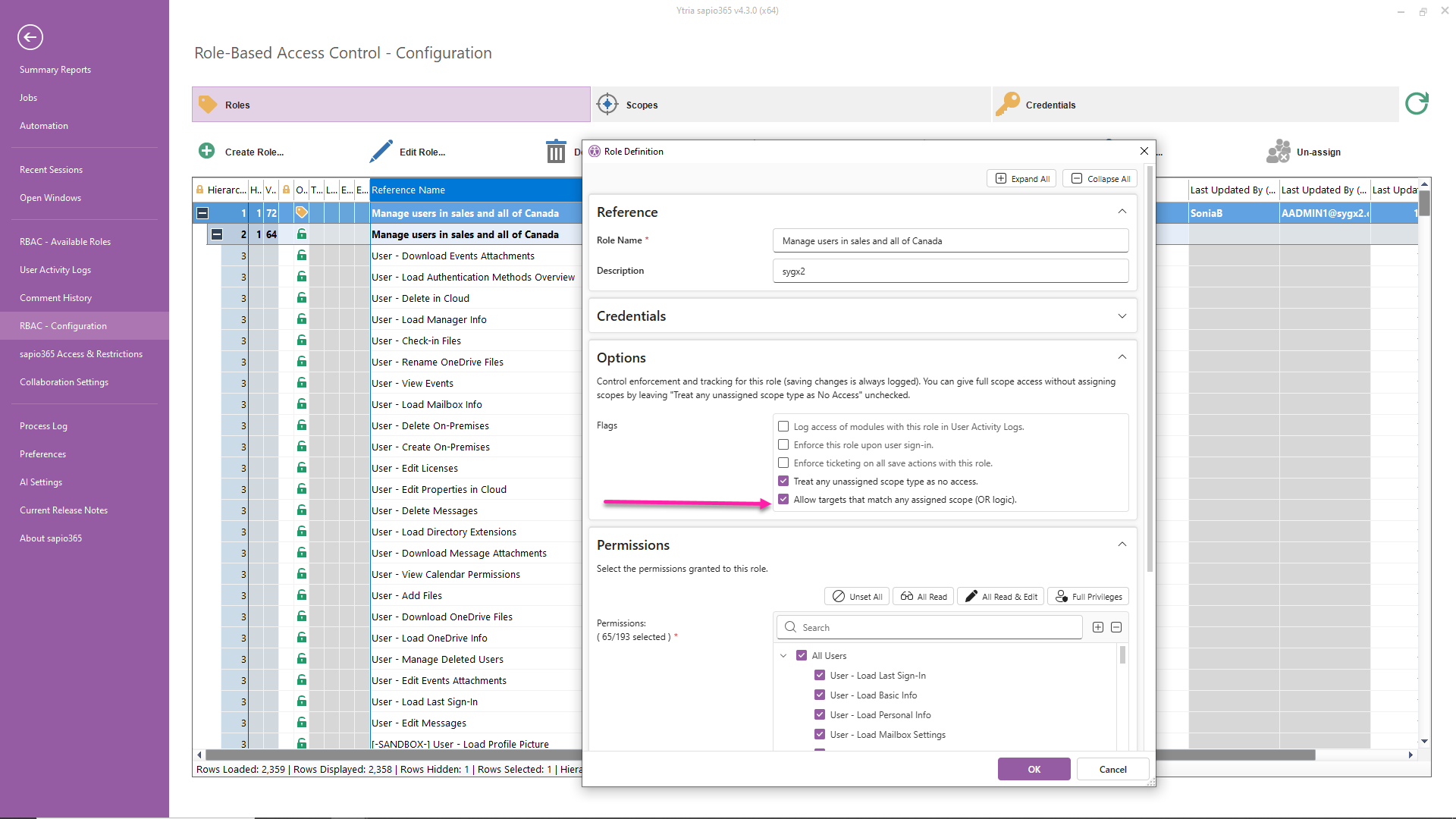
Want a role to include targets from any of its assigned scopes? Check “Allow targets that match any assigned scope (OR logic)” in the role configuration, so scopes like “Users in the Sales department” and “Users in Canada” give access to everyone in Sales plus everyone in Canada. Leave it unchecked to keep the default AND logic, which includes only users who are both in Sales and in Canada.



Submit a comment